- On sale!


Move products, combinations and stock levels between linked stores. Pick new items to import and control each stage of the synchronization.
613,77 zł brutto
Instalacja ⓘZleć mi instalację modułu. Zainstaluję, sprawdzę i zweryfikuję poprawne działanie modułu.
Wsparcie techniczne
Domena ⓘPodaj adres url domeny, na której będzie instalowany nasz moduł.
| Product price | |
| Selected options | |
| Total |
Running two linked stores means constantly checking whether a new product, its variants and its stock levels have also reached the second installation. Repeating the same operations by hand quickly leads to discrepancies in the catalog.
AJIT Sync PL→DE was built for controlled synchronization between the source store and the target store. The process is split into three clear stages and launched from the admin panel.
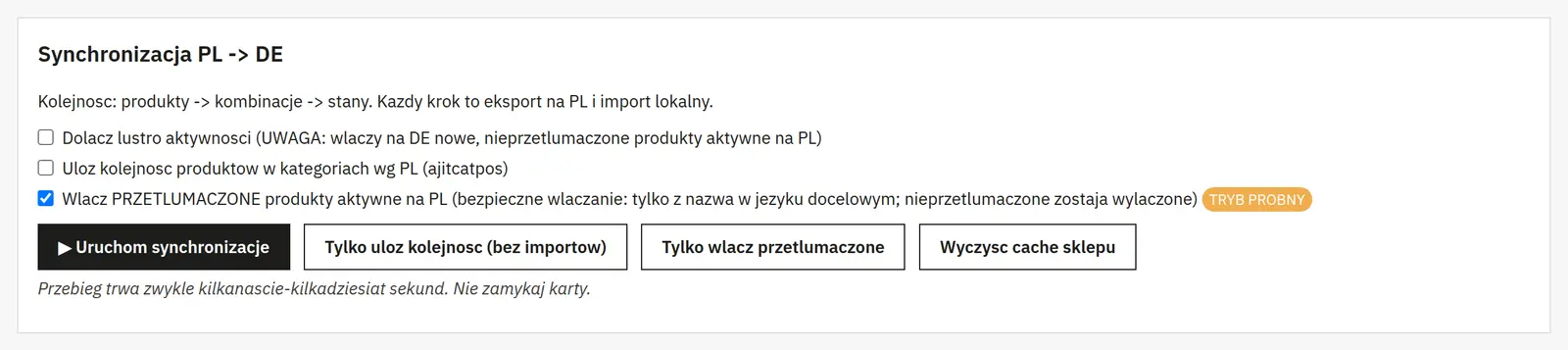
The operation runs product synchronization first, then combinations and finally stock levels. The panel shows a log of created items together with their ID, code, name and quantity.

The “New products on PL” section compares the data with the export and shows the items missing on the target side. The administrator ticks only the products that really need to be imported.
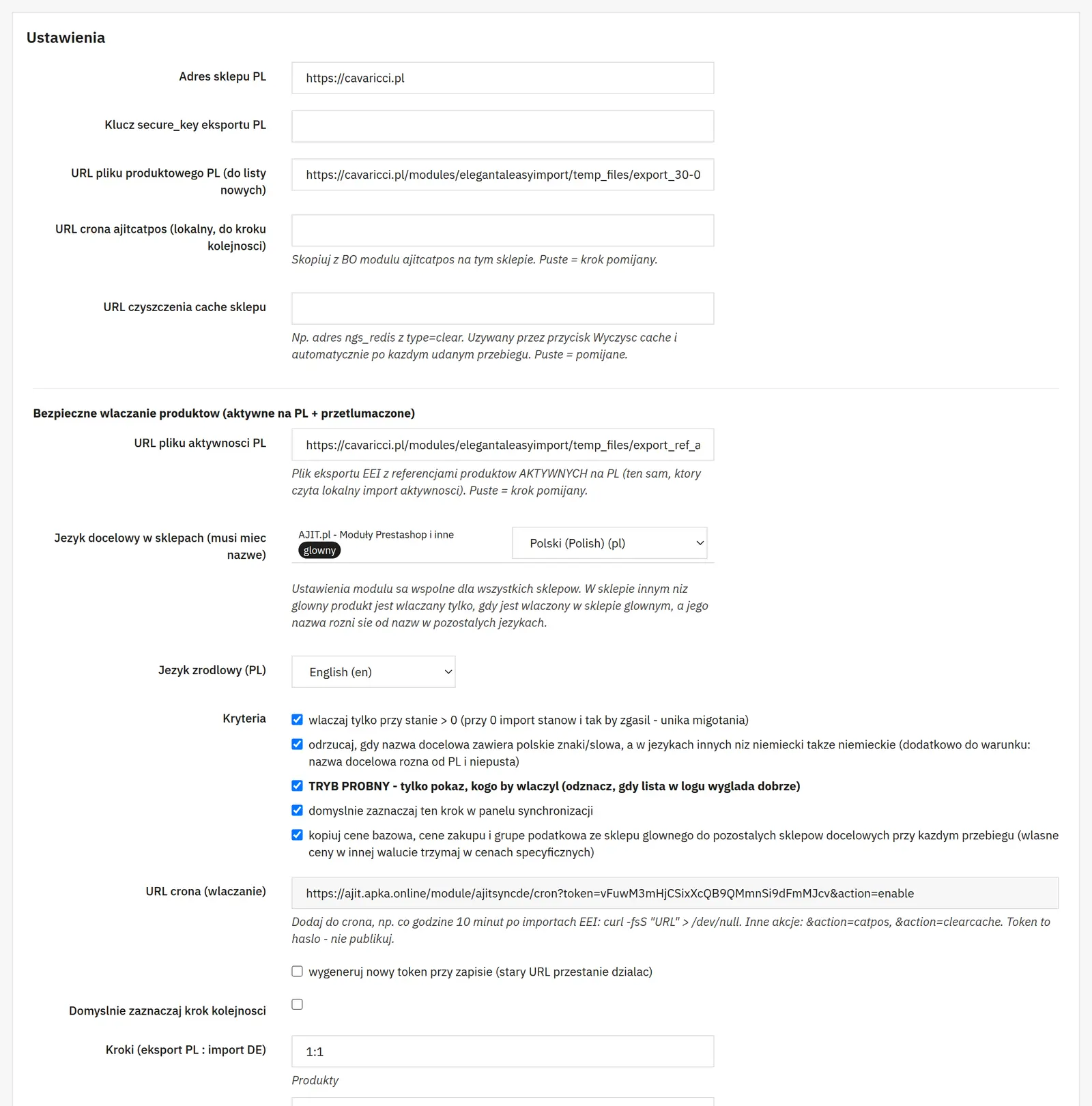
A separate step can run the mechanism that restores the order used in the source store. A “Reorder only” button is also available when a full synchronization is not needed.

The module uses GET_LOCK locks, success markers and run retention. After a correct finish it can clear the store cache automatically.
This solution makes the most sense in linked stores where one installation acts as the catalog source and the other is meant to receive selected products, combinations, stock levels and ordering.
The process runs in three stages: products, combinations and stock levels.
No. The list of new items has checkboxes, so you can select only the products you want.
Yes. A separate “Reorder only” mode is available.
No customer reviews for the moment.