Bulk Order Printing to PDF - PrestaShop Module
Prepare the data of many orders for printing without opening each one separately. Generate PDF documents straight from the order list in your store's back office.
- Version 0.1.16
- Last update 2026-10-02
- PrestaShop compatibility 1.7.5 – 9.x
- Multistore Not tested
- Cron job No
- Languages
- Delivery time Sent automatically by e-mail
244,77 zł brutto
Instalacja ⓘZleć mi instalację modułu. Zainstaluję, sprawdzę i zweryfikuję poprawne działanie modułu.
Wsparcie techniczne
Domena ⓘPodaj adres url domeny, na której będzie instalowany nasz moduł.
| Product price | |
| Selected options | |
| Total |
Bulk printing of PrestaShop orders to PDF
Prepare the data of many orders for printing without opening each one. Generate PDF documents straight from the order list in the store back office.
Available languages:

![]()

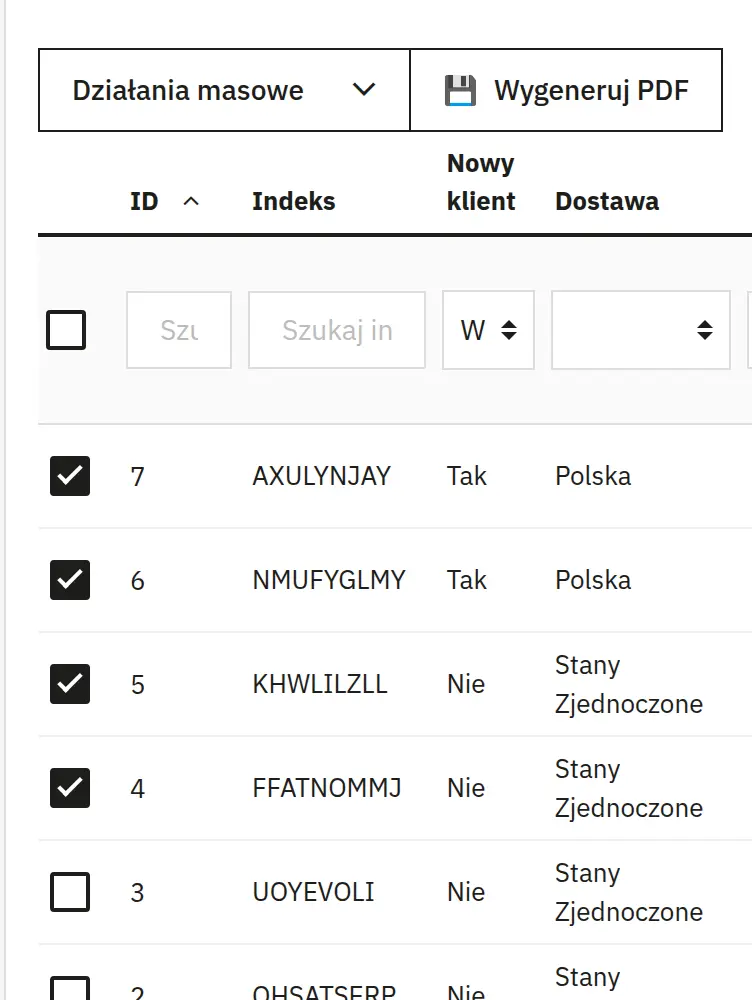
Selecting multiple orders from the list
You tick orders on the list in the store back office. In batch work this lets you prepare several printouts in a single action.
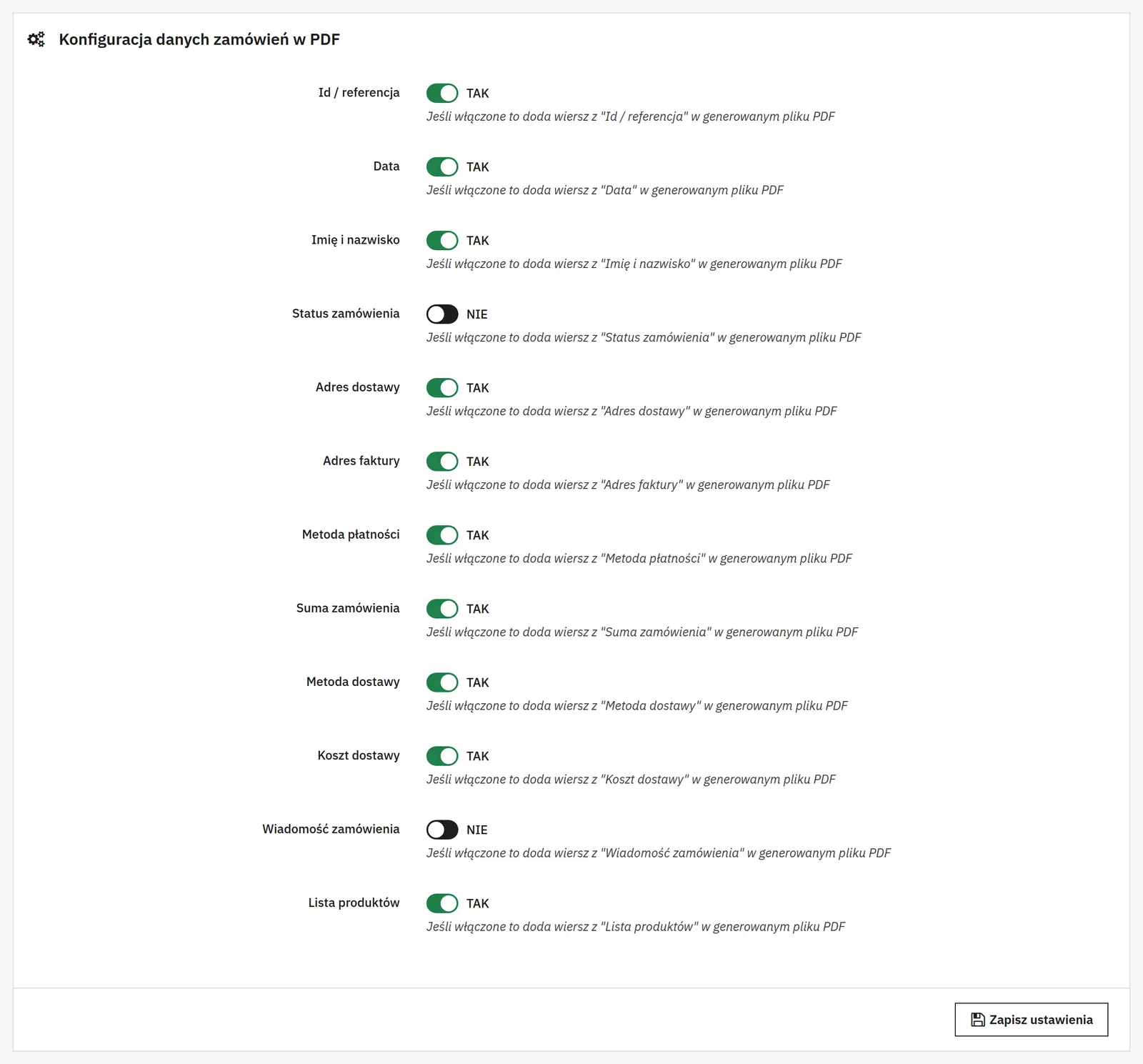
Bulk generation of order data to PDF
The data of the selected orders is prepared for PDF. The files can support daily fulfilment and order picking.
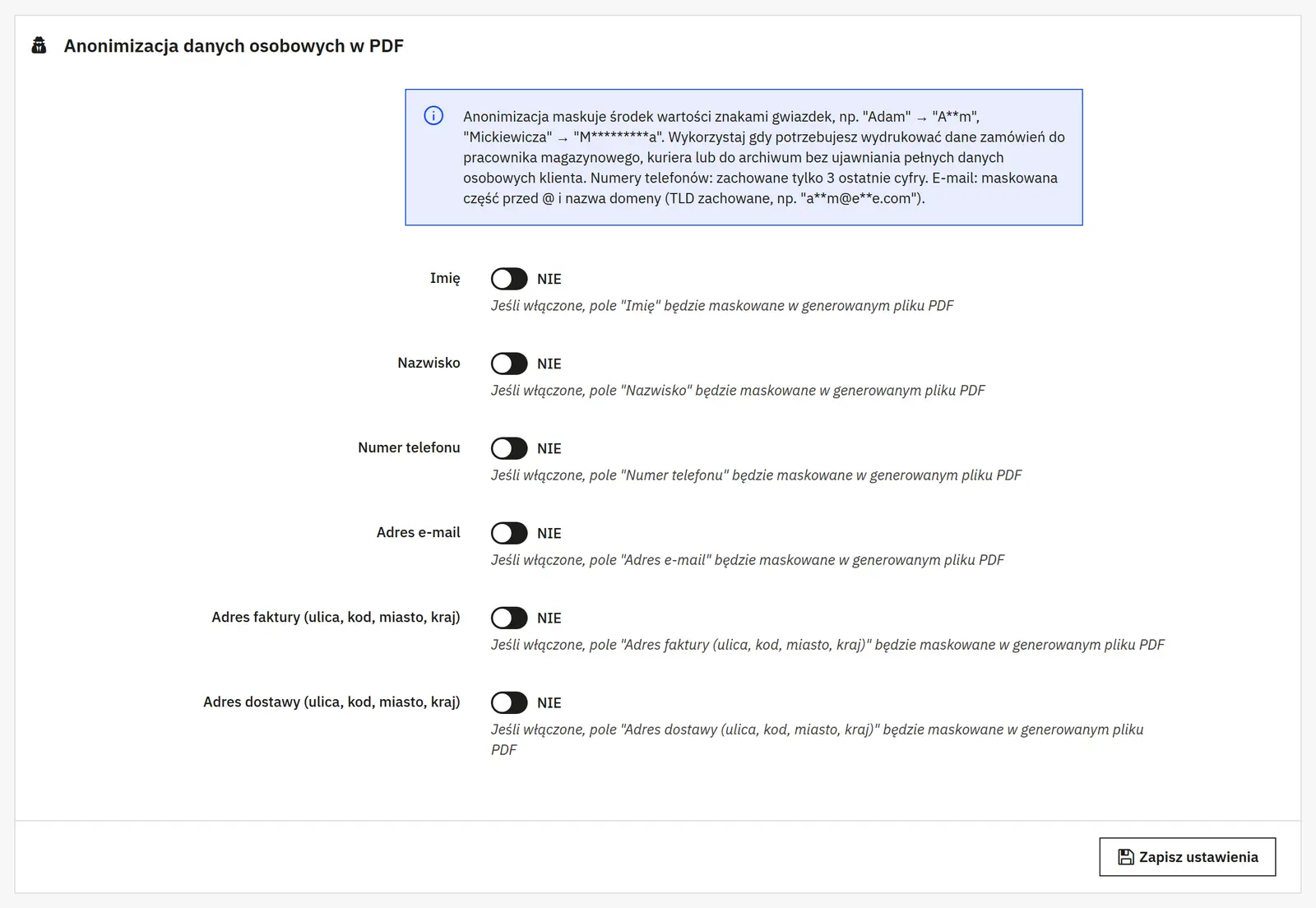
Printing the information needed to handle orders
A printout makes it easier to pass information to the person packing the parcel. It is worth checking beforehand that the data scope matches your warehouse workflow.
Who is this module for?
It suits teams that pack parcels and handle a larger number of orders every day.
Requirements and configuration
The module prints order data; it is not an accounting system or a courier label generator.
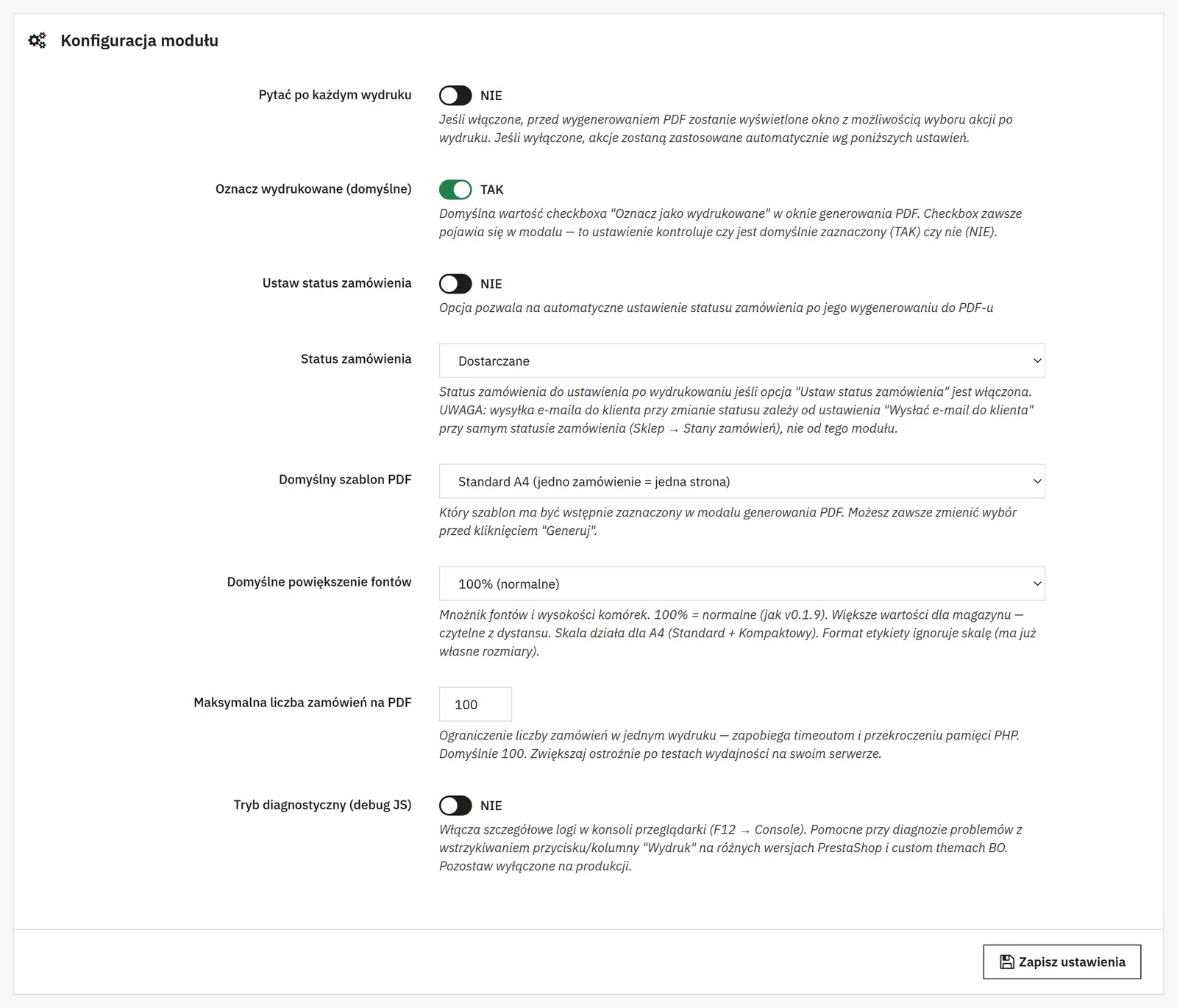
What can you set in the module panel?

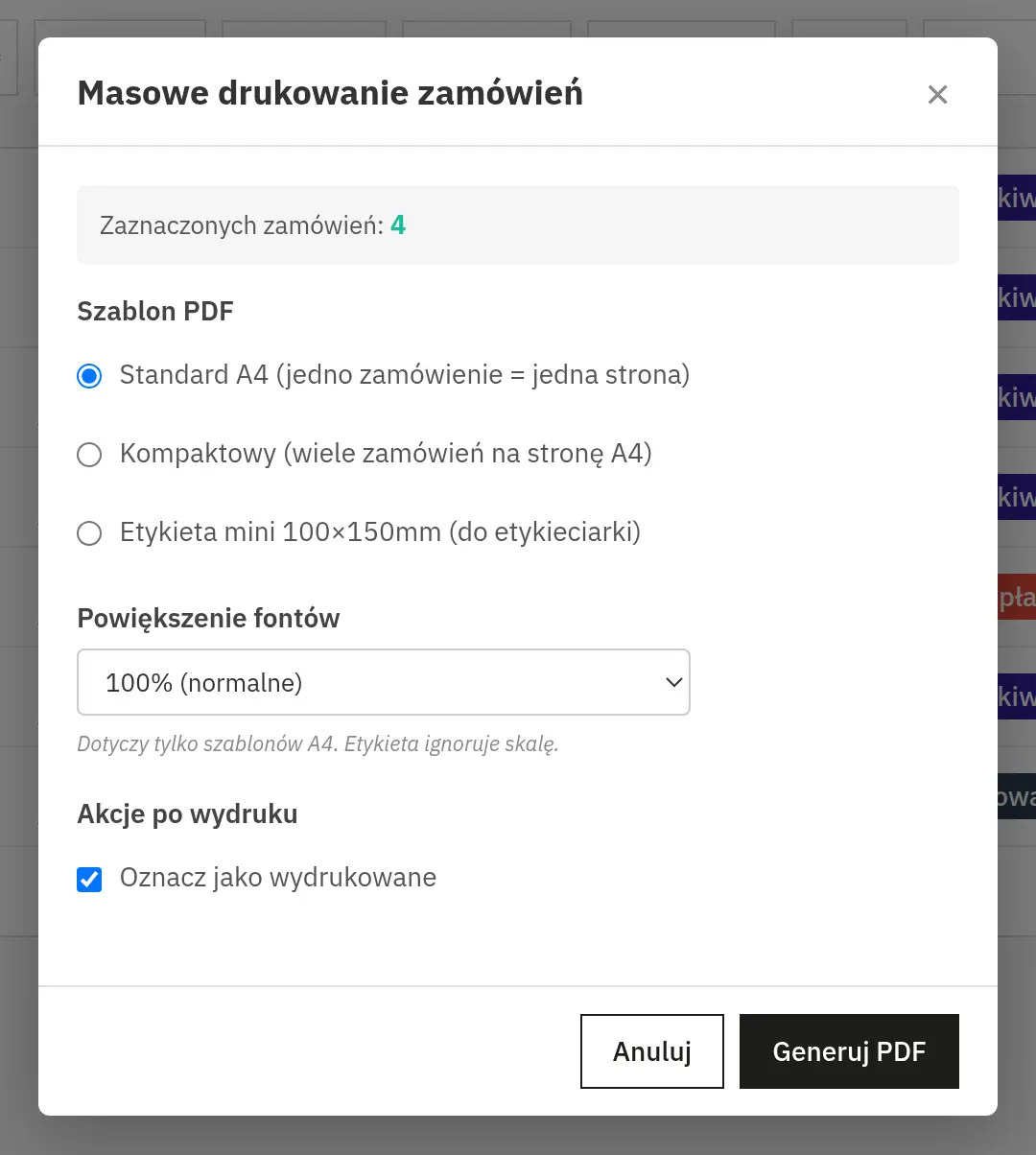
01 / Document generation
Document generation
- Prompt before generating a PDF
- Enables a dialog for choosing actions at print time. Without it, the module uses the configured defaults.
- Mark as printed
- Sets the default state of the print flag in the document generation dialog.
- Status change and target status
- The switch changes the order status after the PDF is generated, and the list picks the target status. The customer e-mail depends on how that status is configured in PrestaShop.

02 / PDF appearance and limits
PDF appearance and limits
- Default template
- Sets the template preselected in the print dialog. You can pick a different one before generating.
- Font scaling
- Scales text and cell height in A4 templates. The label format uses its own dimensions and ignores this scale.
- Order limit per PDF
- Caps the size of a single print batch to reduce the risk of hitting server time or memory limits.
- JS diagnostics
- Enables detailed console messages, useful when the print button or column misbehaves in the back office.
Data sheet
- Version
- 0.1.16
- Last update
- 2026-10-02
- PrestaShop compatibility
- 1.7.5 – 9.x
- PHP version
- 7.4 – 8.3
- Languages
- DE, EN, ES, FR, IT, PL
- Multistore
- Not tested
- Cron job
- No
- Core overrides
- No
- Theme compatibility
- Any theme
- External service required
- Not required
- Source code
- Open, no ionCube
- Licence
- 1 shop (domain), no time limit
- Updates
- Free for 12 months
- Technical support
- Free for 6 months
- Delivery time
- Sent automatically by e-mail
- VAT invoice
- Yes
- Returns
- As stated in the terms
- Package size
- 82 kB
- Demo link
- Link
- Documentation
- Link
No customer reviews for the moment.