• On sale!
Live Chat - Customer Contact and Discounts - PrestaShop Module

Live Chat - Customer Contact and Discounts - PrestaShop Module

Talk to your customers directly in your shop. A chat with an operator panel and discount campaigns helps you handle questions during shopping.

  • Version 0.10.2
  • Last update 2026-10-02
  • PrestaShop compatibility 1.7.8 – 9.x
  • Multistore Not tested
  • Cron job Yes
  • Languages Polski English Français Deutsch Italiano Español
  • Delivery time Sent automatically by e-mail
Pokaż demo Instrukcja
help_outlineAsk about product
Live Chat - Customer Contact and Discounts - PrestaShop Module

Live Chat - Customer Contact and Discounts - PrestaShop Module

+48 728 658 005

Zadzwoń lub skorzystaj z formularza poniżej


zł199.00 netto

244,77 zł brutto

Lowest price in the last 30 days: zł150.00

Price history

Regular price Promotional price

Instalacja ⓘZleć mi instalację modułu. Zainstaluję, sprawdzę i zweryfikuję poprawne działanie modułu.

Wsparcie techniczne

Domena ⓘPodaj adres url domeny, na której będzie instalowany nasz moduł.

Quantity

PrestaShop live chat - customer contact and discounts

A customer often needs one quick answer: does the product fit, when will it ship, or can they get a better price. If they have to look for an email address or wait until the next day, the purchase decision can vanish along with the open tab.

Available languages: PL EN FR DE IT ES

AJIT Chat is a live chat that runs directly in your store, but its second layer is just as important: a marketing campaign engine that can start a conversation or issue a discount code based on the visitor's actual behavior.
Key module features

  • pre-chat form with configurable fields
  • threads and attachments
  • conversation ratings
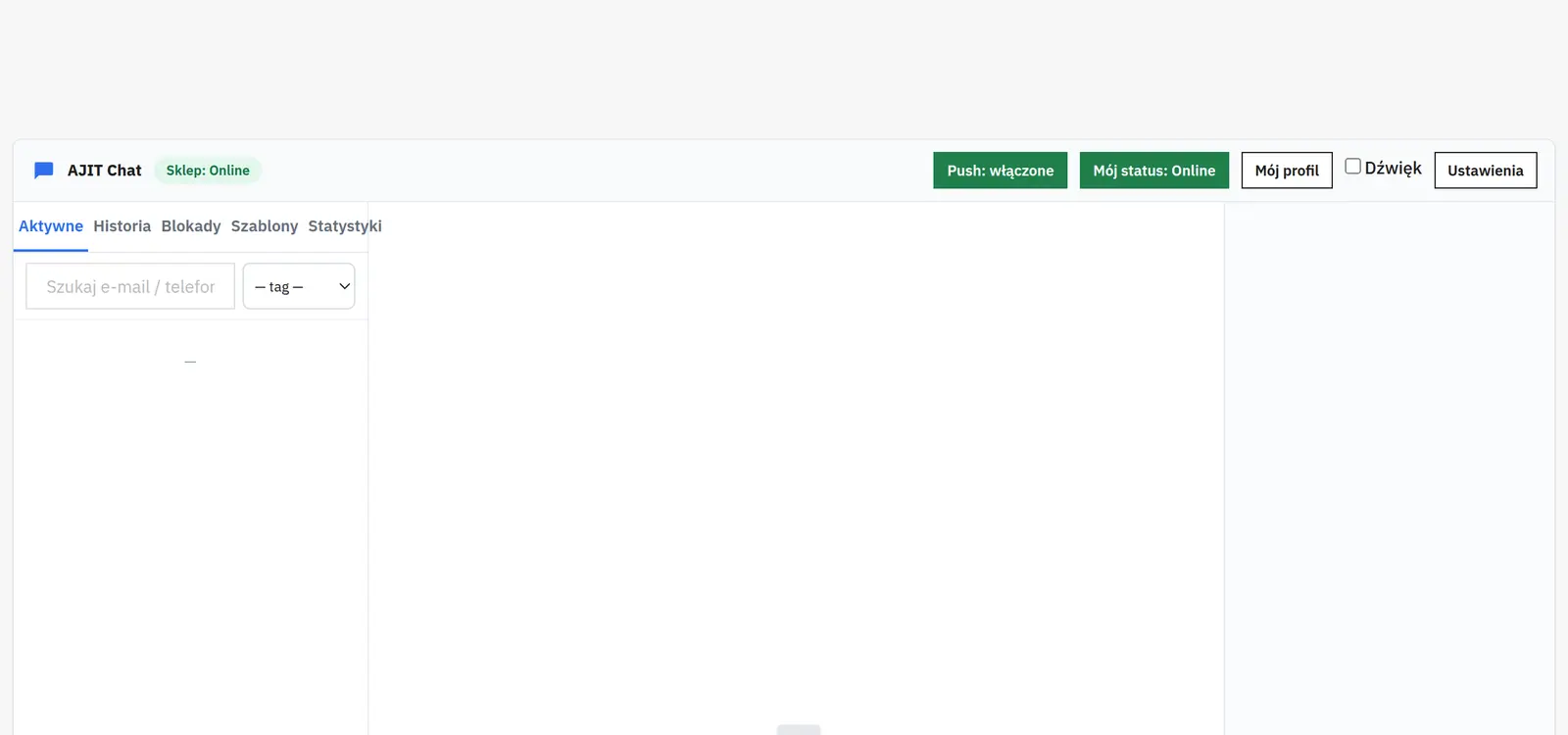
  • operator panel in the Back Office
  • reply templates
  • e-mail reply to offline visitors
  • AND/OR campaign builder
  • time on page, product, cart, exit intent and chat opening
  • automatic CartRule per guest
  • code limits per day / IP / shop
  • clickable discount code chip
  • teaser bubbles and message preview
  • GDPR: export/erase and retention
  • KPI statistics
Live chat with an operator panel

Live chat with an operator panel

The pre-chat form can collect configurable data such as name, e-mail or phone number. Conversations run in threads and support attachments with a built-in lightbox as well as ratings. The operator replies from the Back Office, using reply templates among other tools. When the guest is offline, the reply can be sent by e-mail.
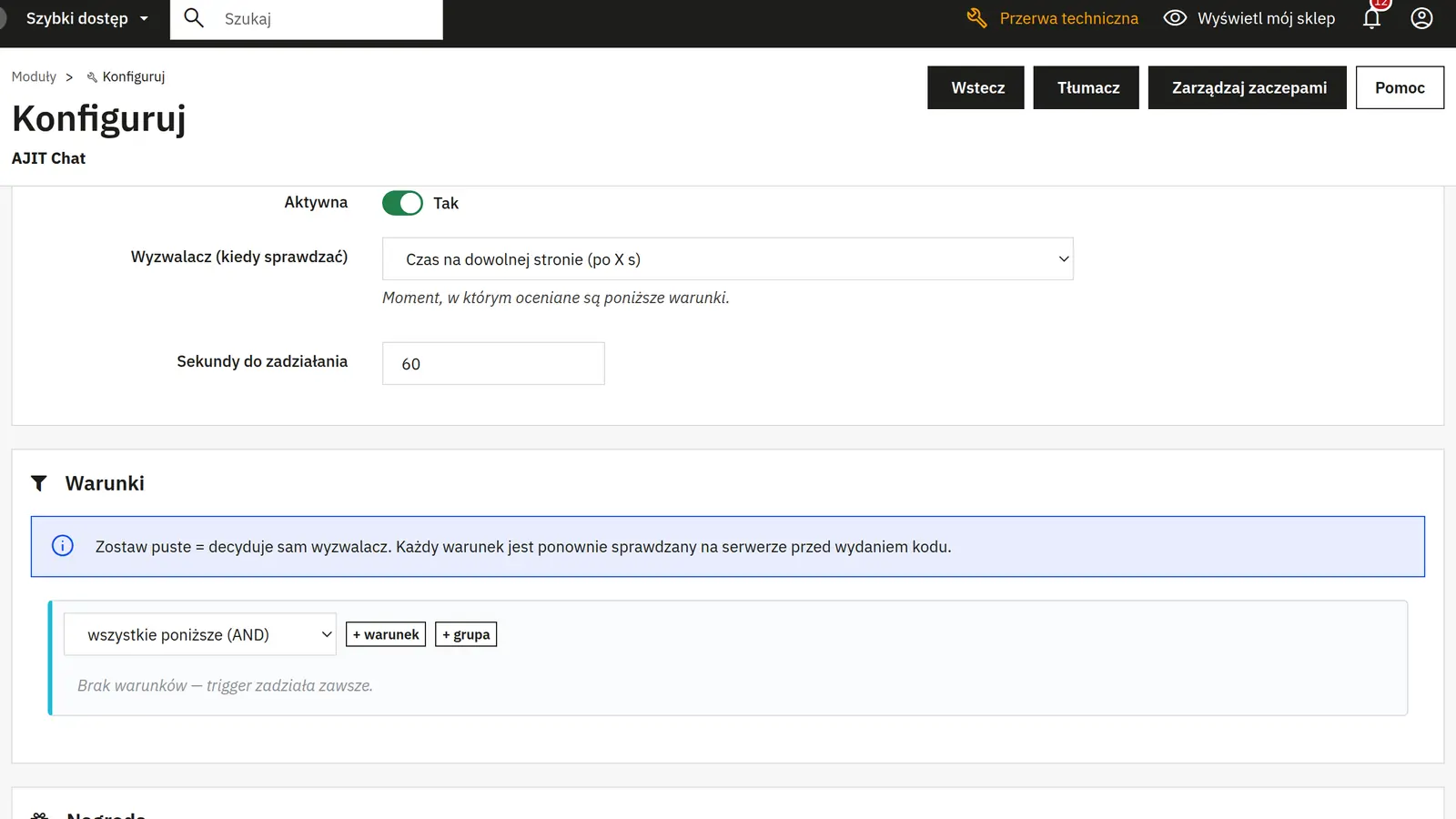
Campaigns based on AND/OR conditions

Campaigns based on AND/OR conditions

The campaign builder works with facts about visitor behavior: time on page, the product being viewed, the cart, exit intent and chat opening. Conditions can be combined logically so the message appears only at the right moment.
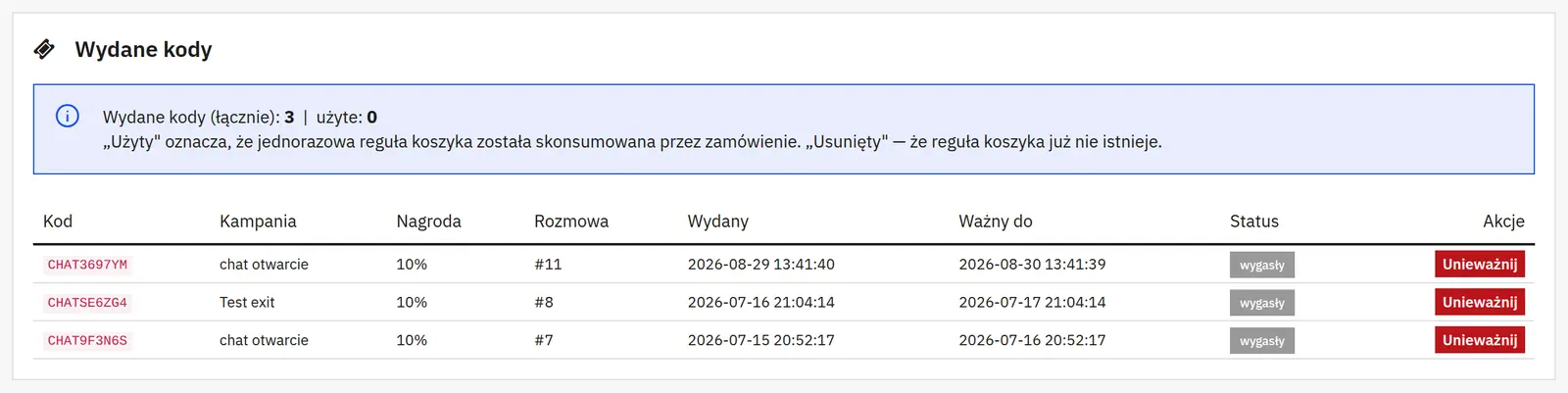
Automatic individual discount codes

Automatic individual discount codes

A campaign can create a CartRule for a specific guest. Codes are time-limited and can have daily limits, per-IP and per-shop limits, plus separate test IPs. In the thread the discount appears as a clickable chip that can be copied.
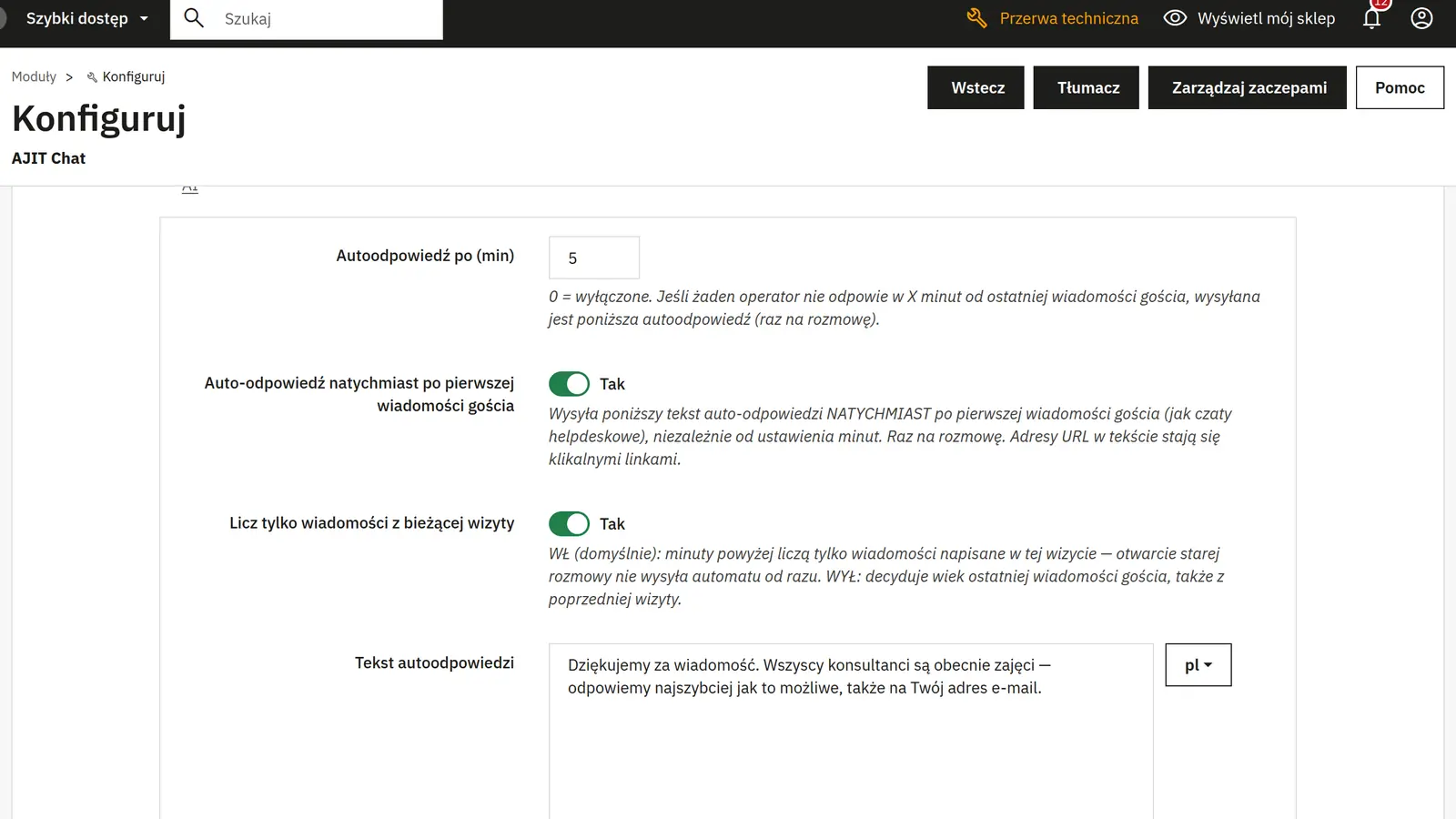
Teasers and automatic replies

Teasers and automatic replies

Teaser bubbles and a message preview can be shown above the chat icon. A thread greeting, an instant auto-reply and clickable links are available.
GDPR and statistics

GDPR and statistics

The module supports batch data export and erasure, CRON-based retention and KPI statistics. Marketing conversations can be filtered out so they do not inflate core support metrics.

Who is this module for?

This module is for stores that want to combine regular live support with sales automation without adding a separate campaign system and an external subscription-based chat.

FAQ

Can the operator reply to a customer who has left the store?

If the customer provided an e-mail address, the module can send the reply by e-mail while the guest is offline.

Can a campaign react to the intent to leave the page?

Yes. Exit intent is one of the facts supported in the condition builder.

Is the discount code shared by everyone?

A campaign can create a CartRule per guest, with a validity period and limits.

Does the module have GDPR features?

Yes. It supports batch data export/erasure and retention performed via CRON.
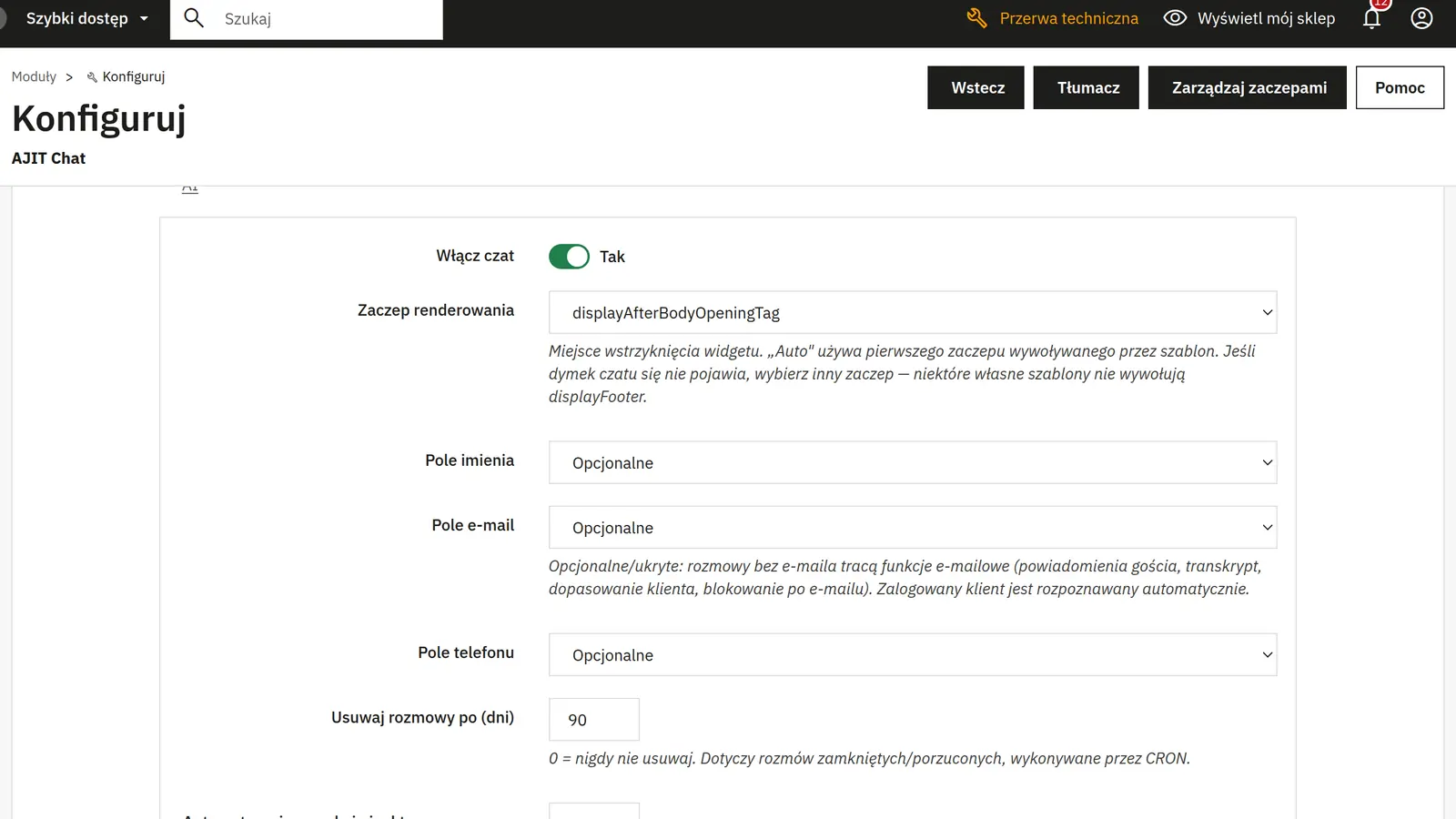
What can you configure in the module panel?

Enabling the chat

01 / Enabling the chat

Enabling the chat

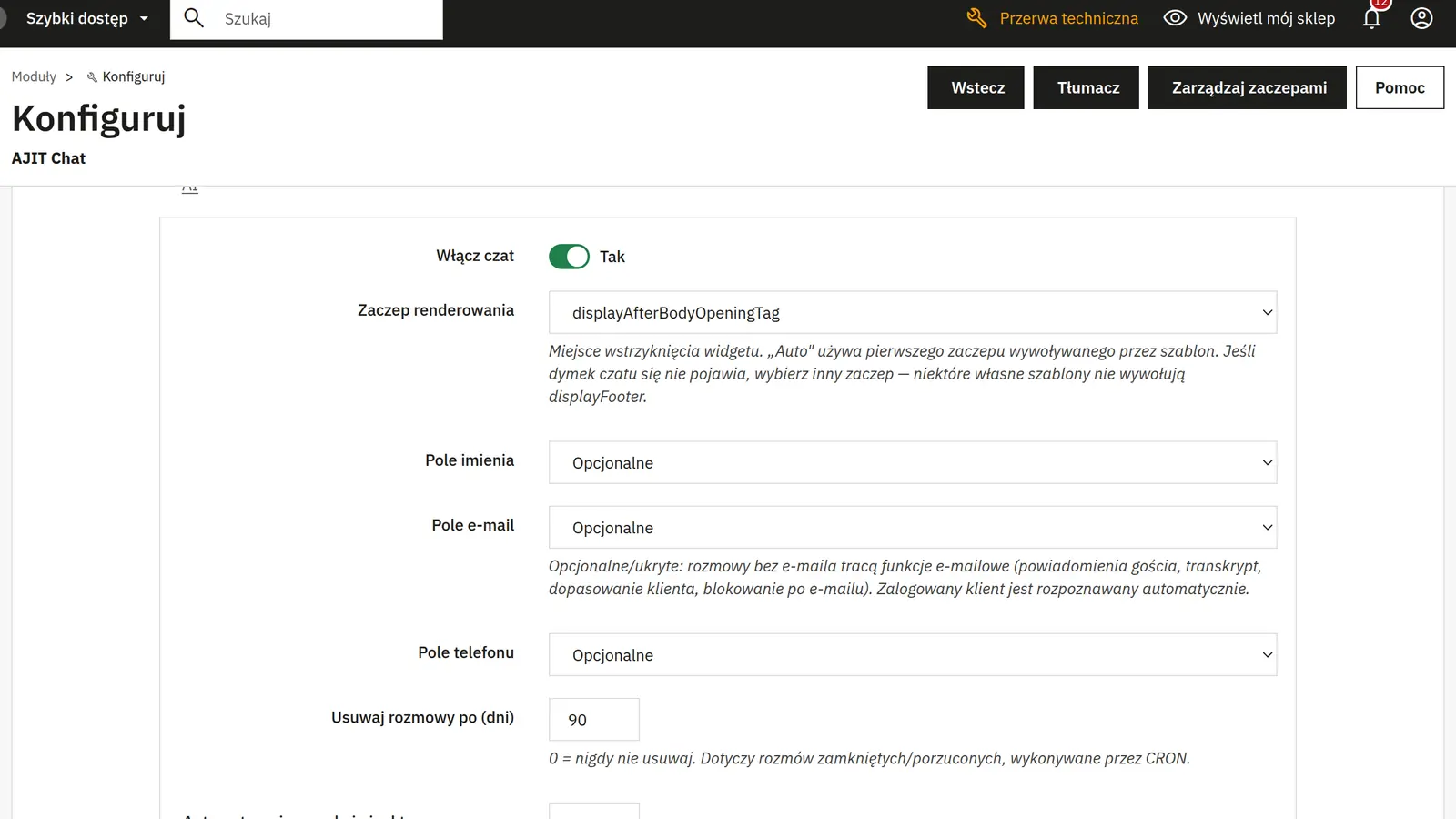
Enabling and theme position
You choose the hook that inserts the widget. Automatic mode uses the first supported theme position.
Name, e-mail and phone fields
You set the scope of data collected at the start of a conversation. A hidden or missing e-mail limits forwarding replies by mail and recognizing the customer.
Operator availability

02 / Operator availability

Operator availability

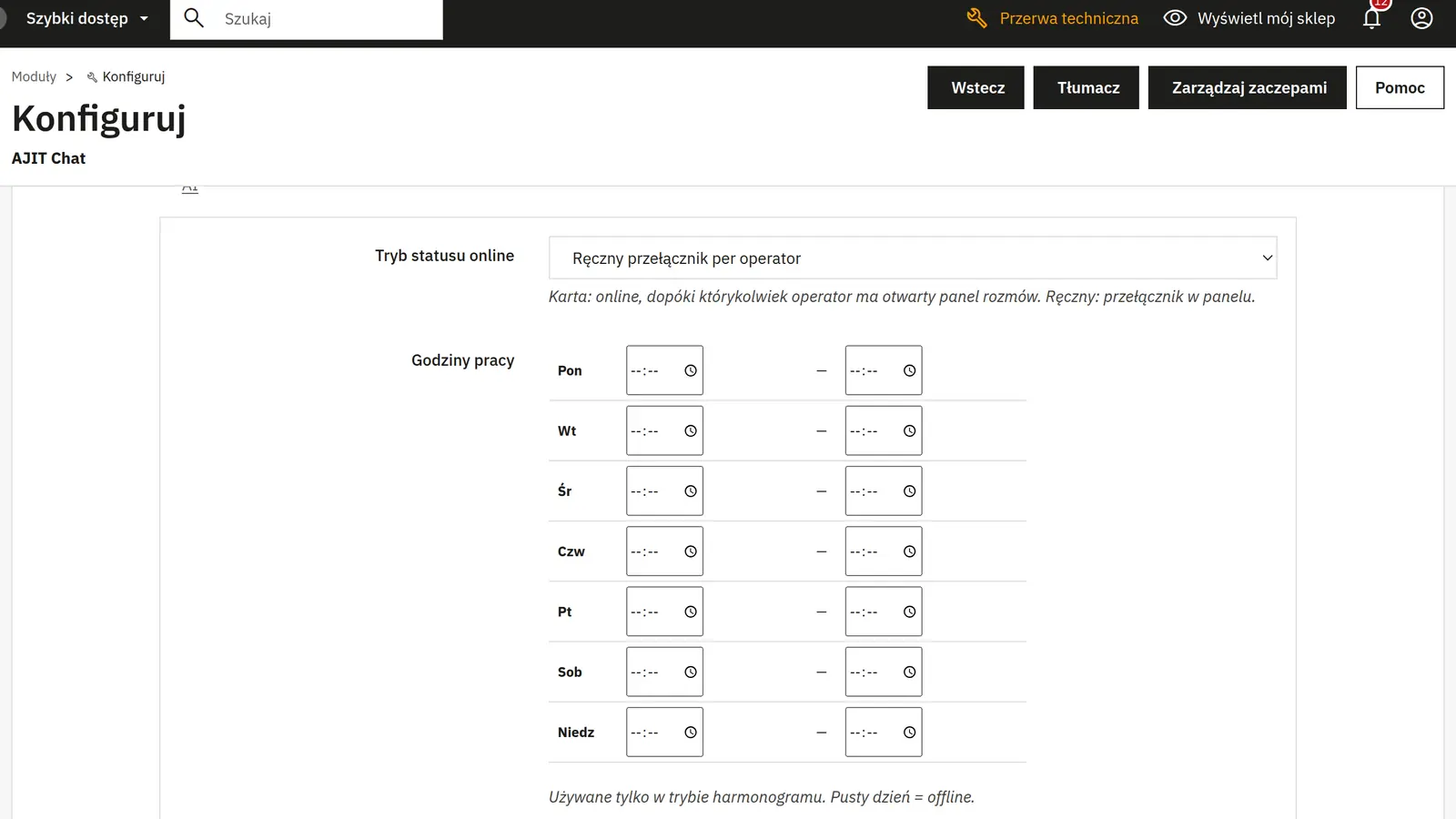
Online mode and working hours
Online status can depend on an open operator panel, a manual status or a schedule. The hours are used in schedule mode.
Holiday from–to and message
The holiday range forces offline status, even with a different online mode. A custom message replaces the standard absence text.
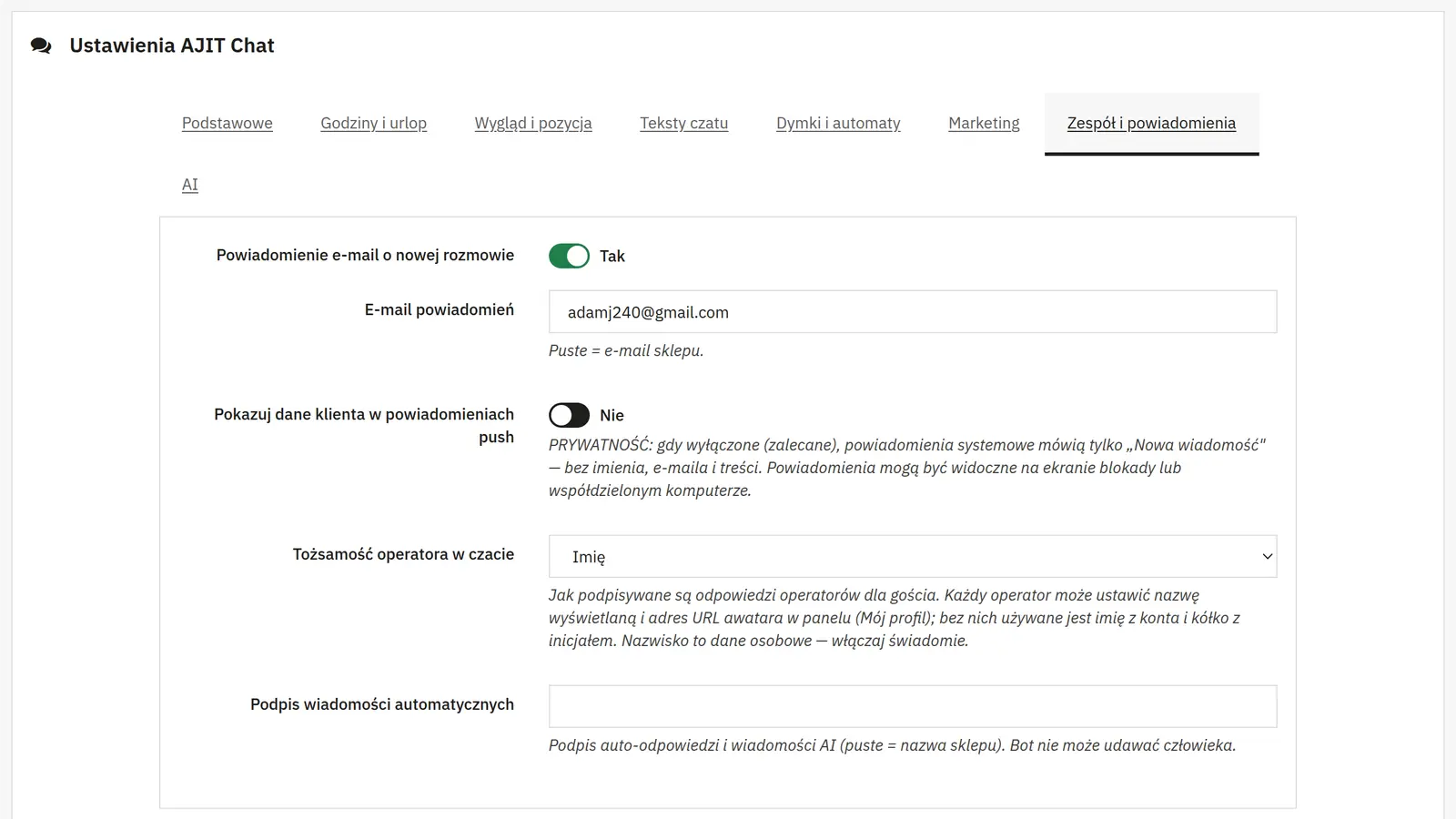
New conversation notification
The switch triggers an e-mail to the specified recipient; an empty address falls back to the shop e-mail.
Appearance and privacy

03 / Appearance and privacy

Appearance and privacy

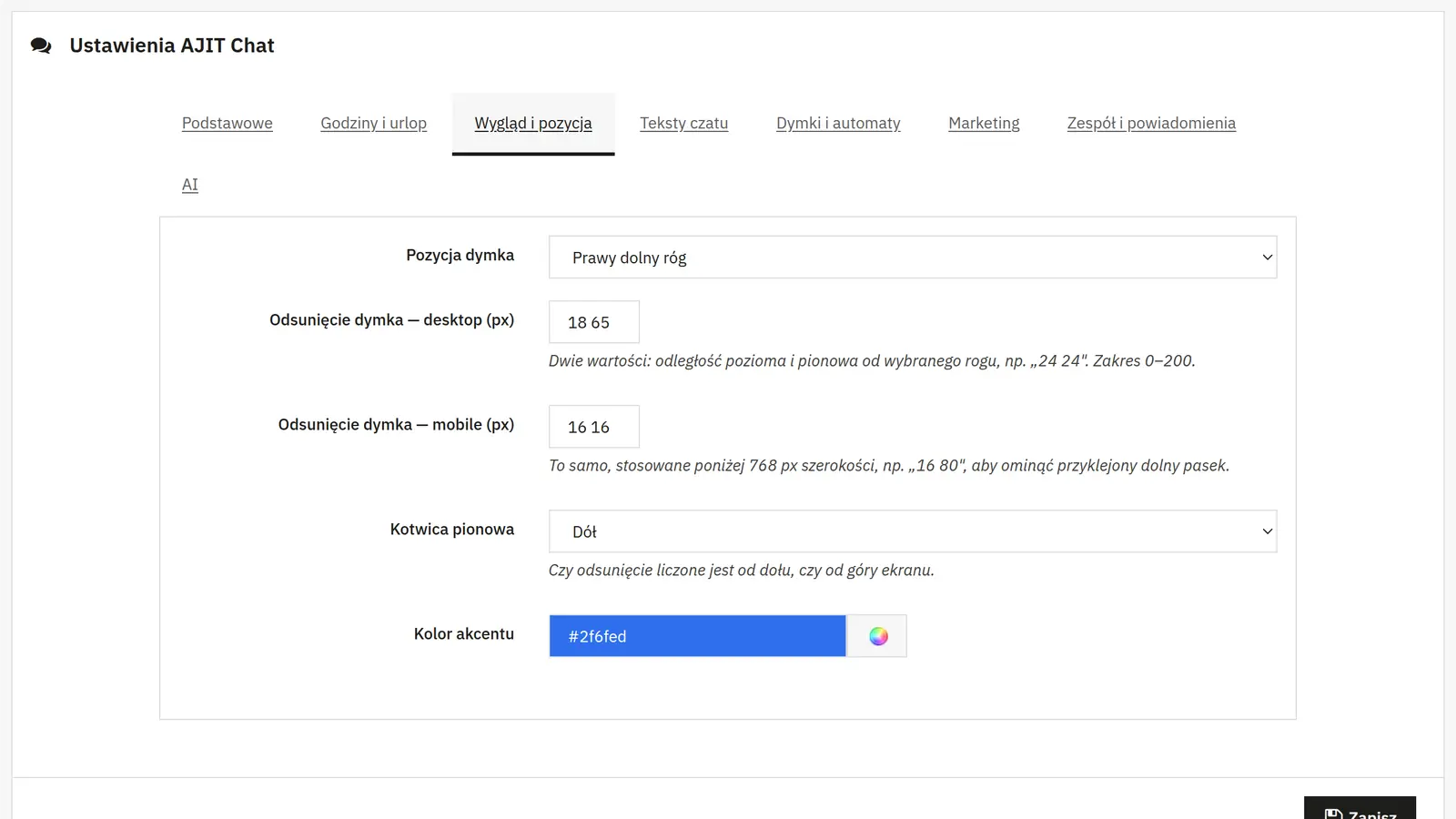
Corner, anchor and offsets
You choose the side of the screen, top or bottom reference, and separate horizontal and vertical offsets for desktop and mobile.
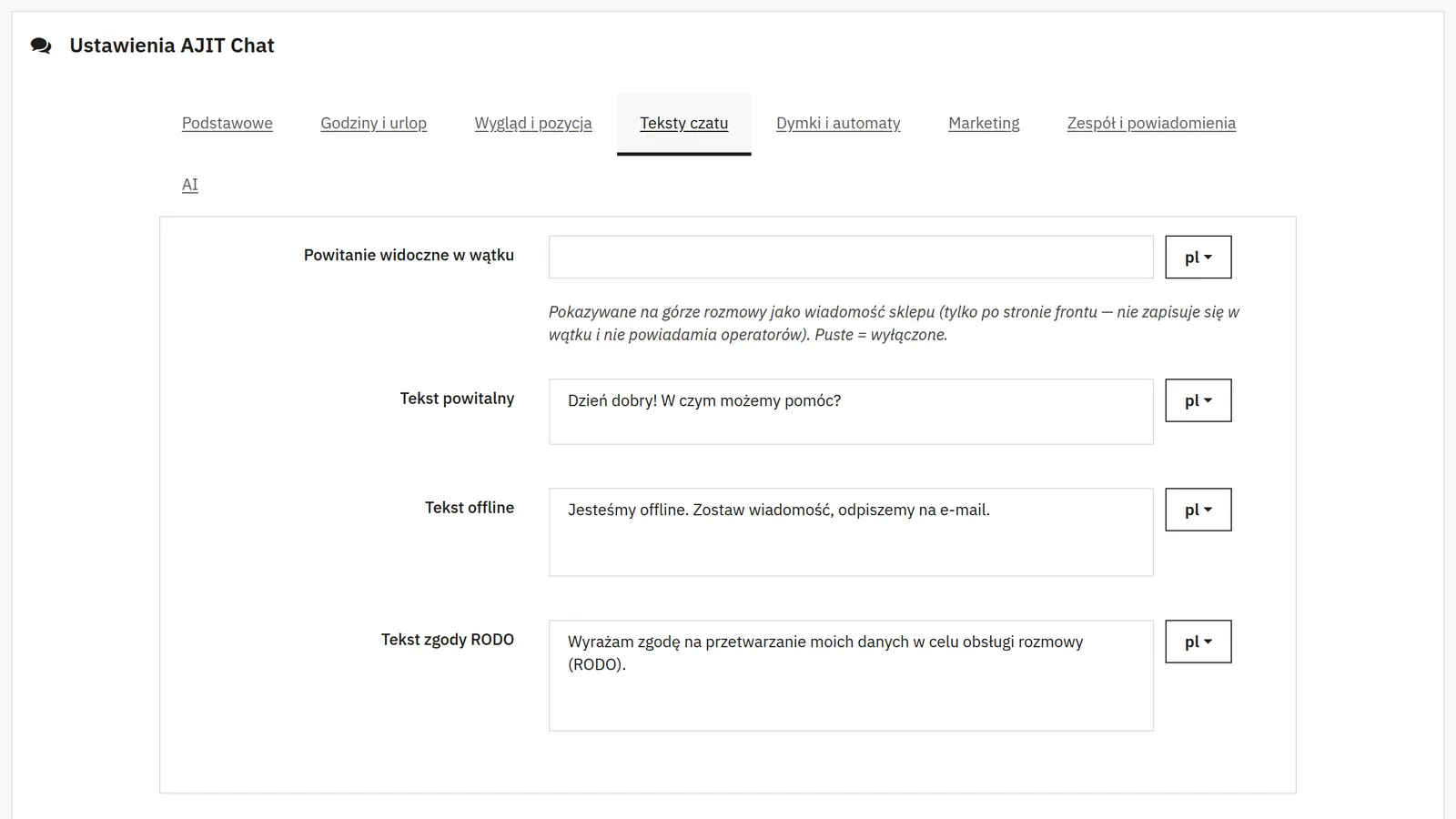
Accent, greeting, offline and consent
The color defines the widget highlights. The texts define the opening messages, absence and consent, and a CMS page provides the privacy policy.
Attachments and system notifications
You can allow images and set an MB limit. Separately, you decide whether the system notification shows customer data and content, which may be visible on a locked screen.
Automatic reply

04 / Automatic reply

Automatic reply

Delay and instant reply
You set the waiting time for an operator or a reply after the first message. The text field holds the automatic message.
Greeting in the conversation
Adds text at the start of the thread on the customer side. It is not saved as a new message requiring an operator notification.
E-mail request and reply forwarding
You enable the address request when there is no reply, set its timing and wording, and enable sending replies by mail after the guest leaves the page.
Invitations and housekeeping

05 / Invitations and housekeeping

Invitations and housekeeping

Teaser and rotation
You set the delay, scope, text, the list of rotating invitations and the interval. A separate switch allows the teaser for returning visitors with a closed thread.
Message preview and tags
The preview shows a snippet of the reply while the chat is collapsed. The tag list organizes conversations in the operator panel.
Closing, retention and IP limit
The idle time controls automatic closing, the number of days controls deleting old conversations via CRON, and the new-conversation limit protects against a flood of requests.
Discount campaigns

06 / Discount campaigns

Discount campaigns

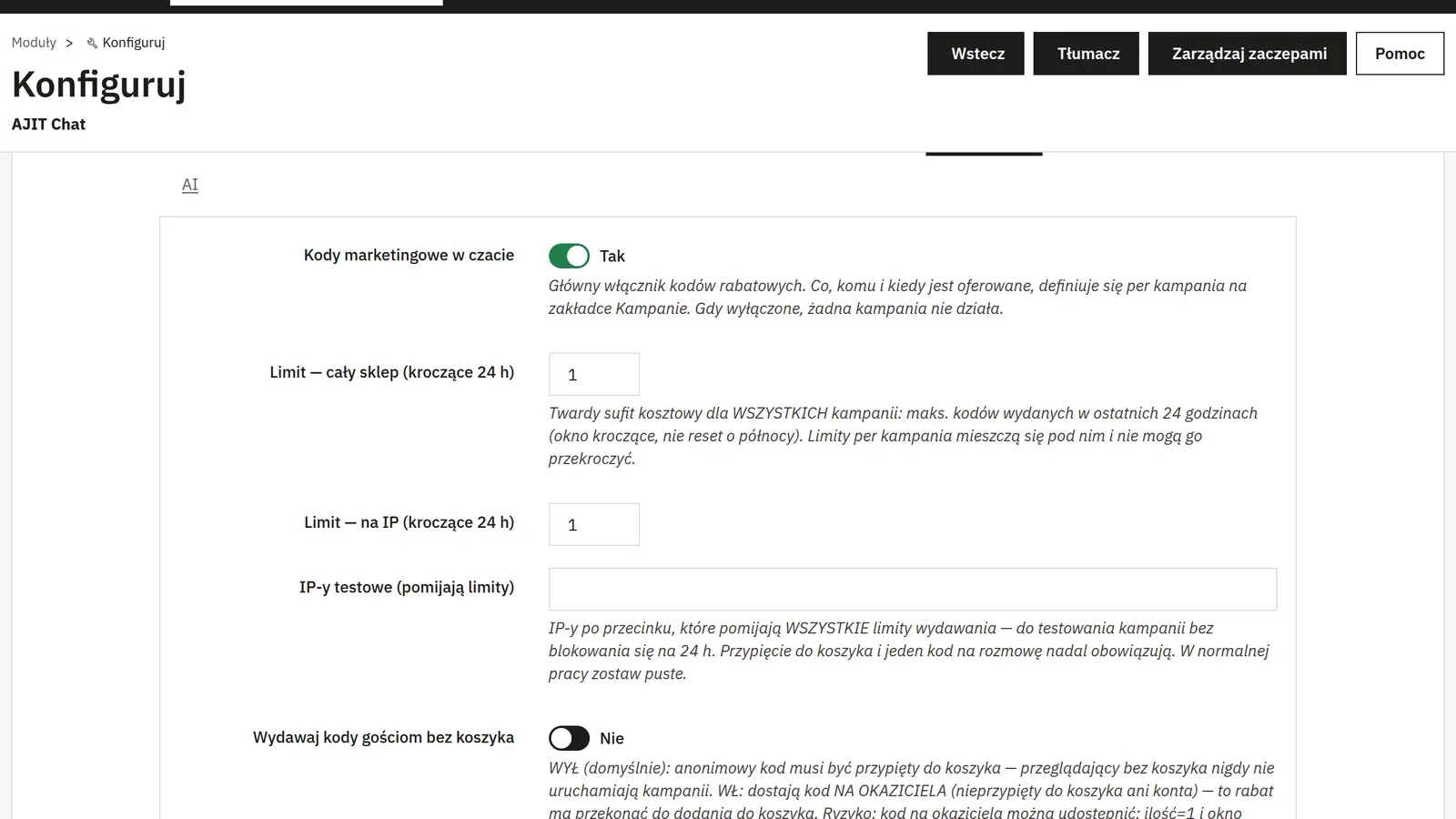
Global switch and limits
You enable code issuing and set limits for the whole shop and a single IP within a rolling 24-hour window. Test addresses bypass the limits and should be removed after testing.
Visitors without a cart
Once such visitors are allowed, a code tied to no account or cart may be created. Such a code can be passed on to someone else; this is a distinct promotion model.
Campaign settings
Name and activity keep the campaign organized. The trigger, waiting seconds and dates define when it acts; type, value and validity define the discount, and campaign limits restrict its issuing. Sound and a note round out the handling.
AI assistance

07 / AI assistance

AI assistance

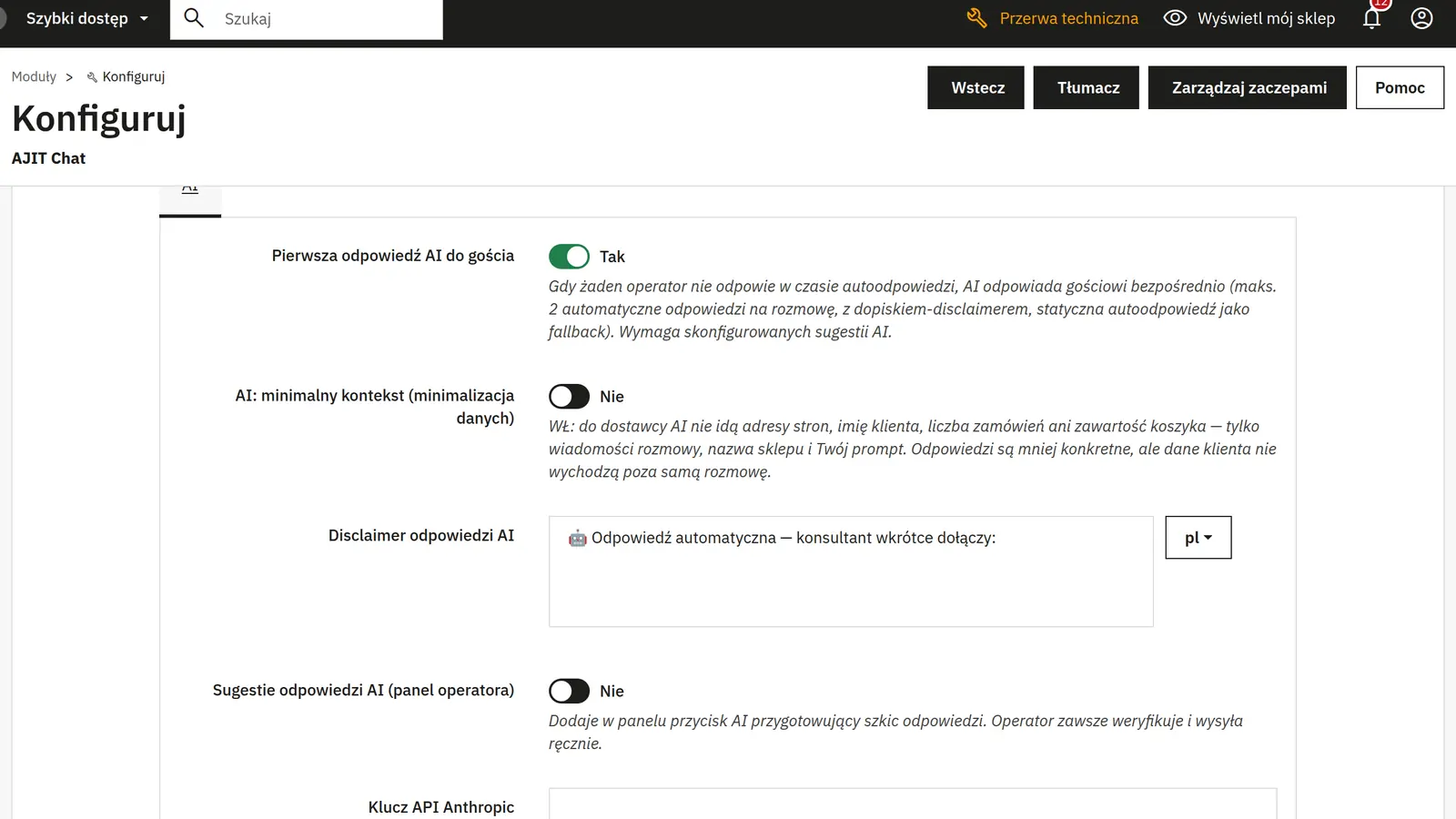
Operator suggestions
You enable the preparation of reply suggestions. The Anthropic key, model and prompt configure the provider; the operator reviews and sends the suggestion manually.
First reply and customer disclosure
A separate mode lets the AI reply automatically when no operator is available. You set the message disclosing the automatic reply; a static text serves as the fallback.
Minimal context
Limits the page, cart and customer data that is passed on, but the conversation content still goes to the AI provider. Enabling it does not mean no data is transmitted at all.
AJIT-CHAT

Data sheet

Version
0.10.2
Last update
2026-10-02
PrestaShop compatibility
1.7.8 – 9.x
PHP version
7.4 – 8.3
Languages
DE, EN, ES, FR, IT, PL
Multistore
Not tested
Cron job
Yes
Core overrides
No
Theme compatibility
Any theme
External service required
Not required
Source code
Open, no ionCube
Licence
1 shop (domain), no time limit
Updates
Free for 12 months
Technical support
Free for 6 months
Delivery time
Sent automatically by e-mail
VAT invoice
Yes
Returns
As stated in the terms
Package size
333 kB
Demo link
Link
Documentation
Link

No customer reviews for the moment.

Related Products ( 4 other products in the same category )