PrestaShop promo bar - countdown and scheduling
Free shipping, a promotion ending tonight, a discount code, a holiday notice or important order-processing information — such messages should be visible right away, not hidden in the footer or on a separate page.
Available languages: 




AJIT Info Bar lets you create multiple info bars and decide when and where they appear. Each bar can have its own look, timer, CTA and mobile behavior.
Key features of the module
- multiple info bars
- countdown to a specific date
- discount code chip
- CTA button
- background image, colors and font per bar
- display conditions
- mobile: stack / wrap / scroll / marquee
- dismissal memory with TTL
- anti-FOUC
- multistore with permission control
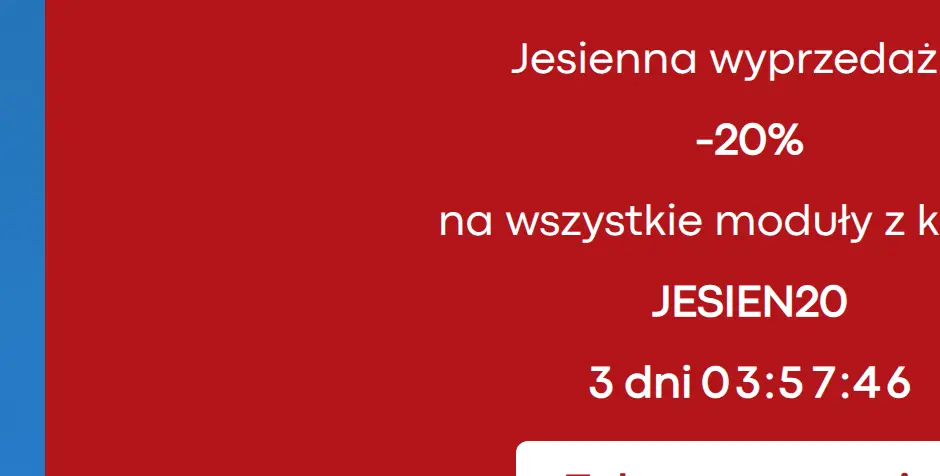
Countdown, discount code and CTA
You can add a date countdown, a discount code chip, a CTA button and a background image to the bar. Colors and font are set individually per bar.
Multiple bars and display conditions
You can create several independent bars and apply conditions that define when a given message is shown. This makes it easy to target different information at different situations in your store.
Four mobile layouts
On phones the bar can work as stack, wrap, scroll or marquee. The ticker mode respects prefers-reduced-motion, and the animation can pause on hover.
Dismissal with memory
Users can close the bar, and the decision is remembered in localStorage for a defined TTL. A synchronous anti-FOUC mechanism hides dismissed messages before the first render.
Who is this module for?
It works well for time-limited promotions, discount campaigns, free shipping, logistics notices and any information that should be noticed without opening a popup.
FAQ
Can I have more than one bar?
Yes. The module supports multiple independent bars with separate settings.
Can customers close the bar?
Yes. The dismissal can be remembered in localStorage for a defined TTL.
Does the bar have separate mobile modes?
Yes. Stack, wrap, scroll and marquee layouts are available.
What can you configure in the module panel?
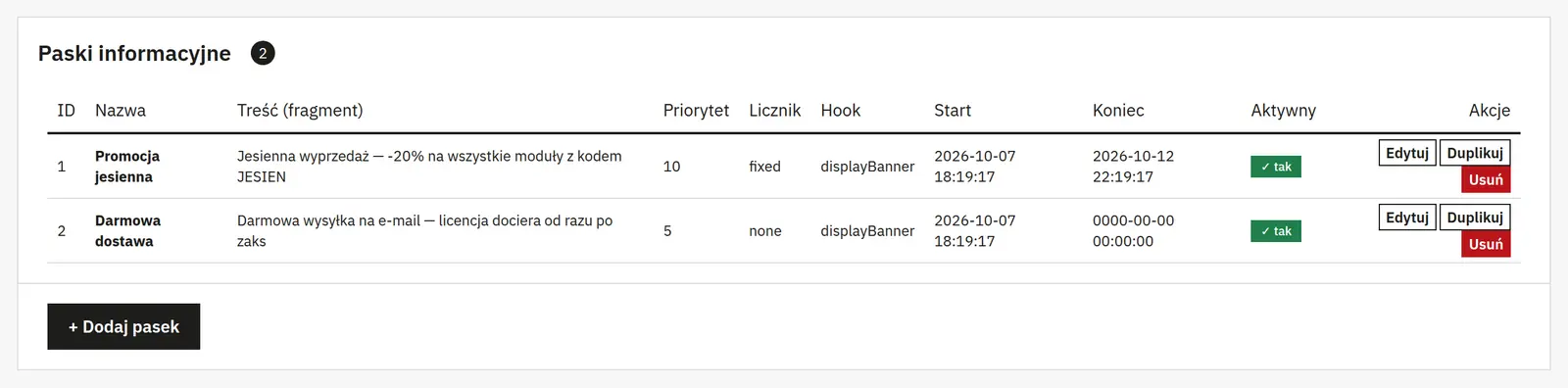
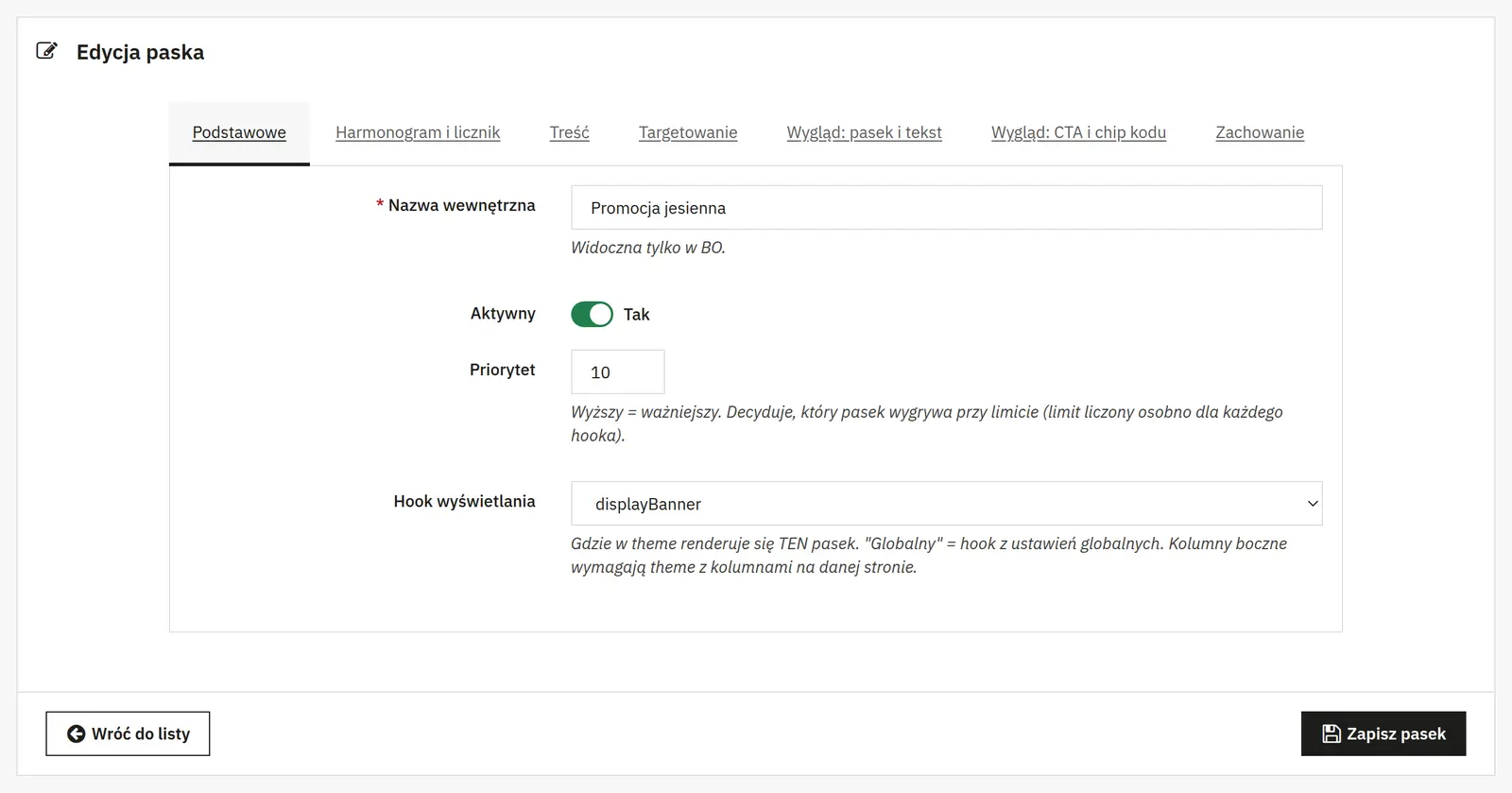
01 / Bar list and schedule
Bar list and schedule
- Global settings
- The default theme position defines where bars without their own assignment appear. The visible bar limit restricts how many messages are shown at once.
- Basic bar data
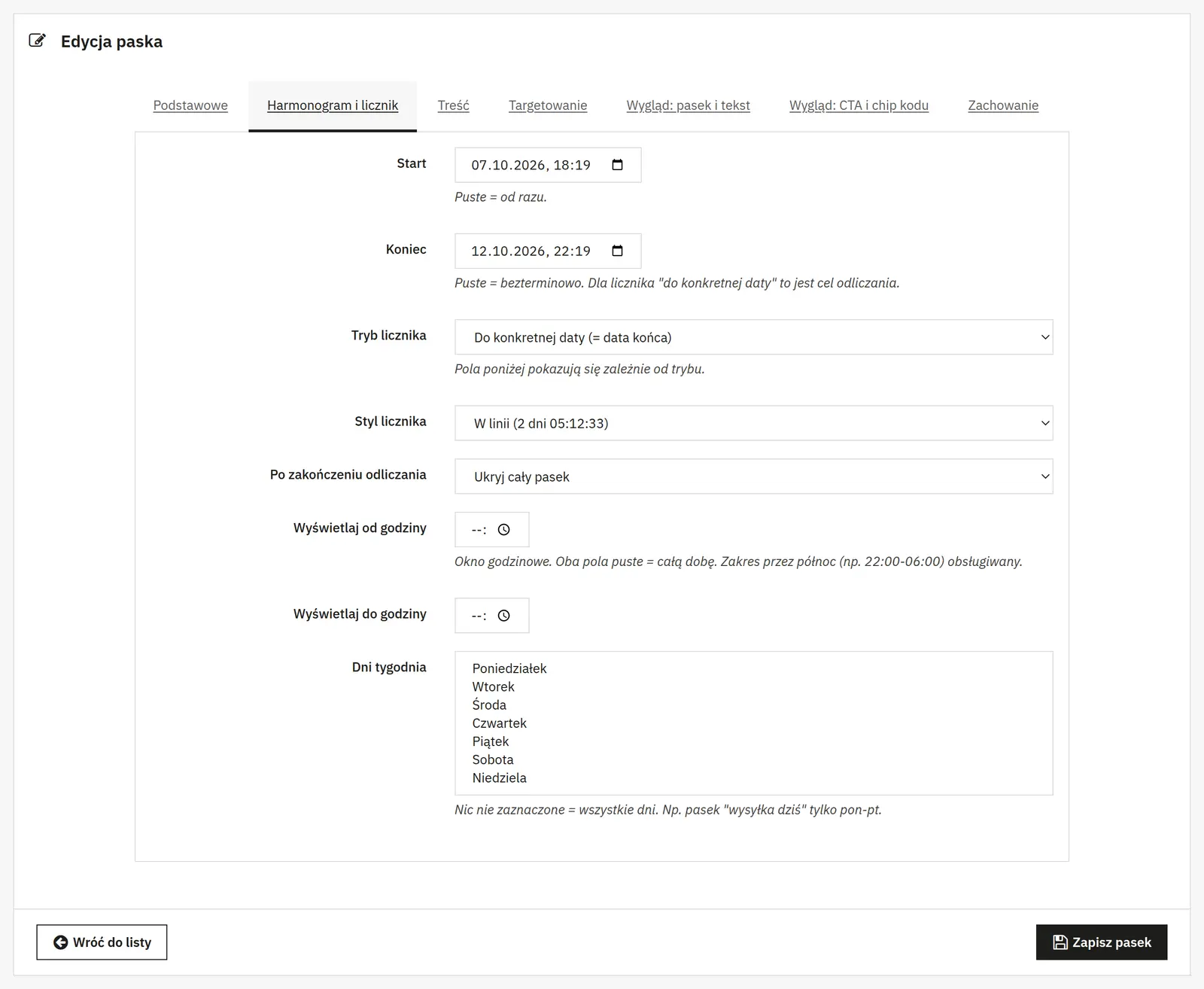
- The name helps you identify the entry, activity enables publication, and a higher priority takes precedence. You can override the position, pick a store and set start and end dates.
- Days and hours of display
- The hour-to-hour window can cross midnight. Selecting weekdays limits display, and no selection means all days.
Content and buttons
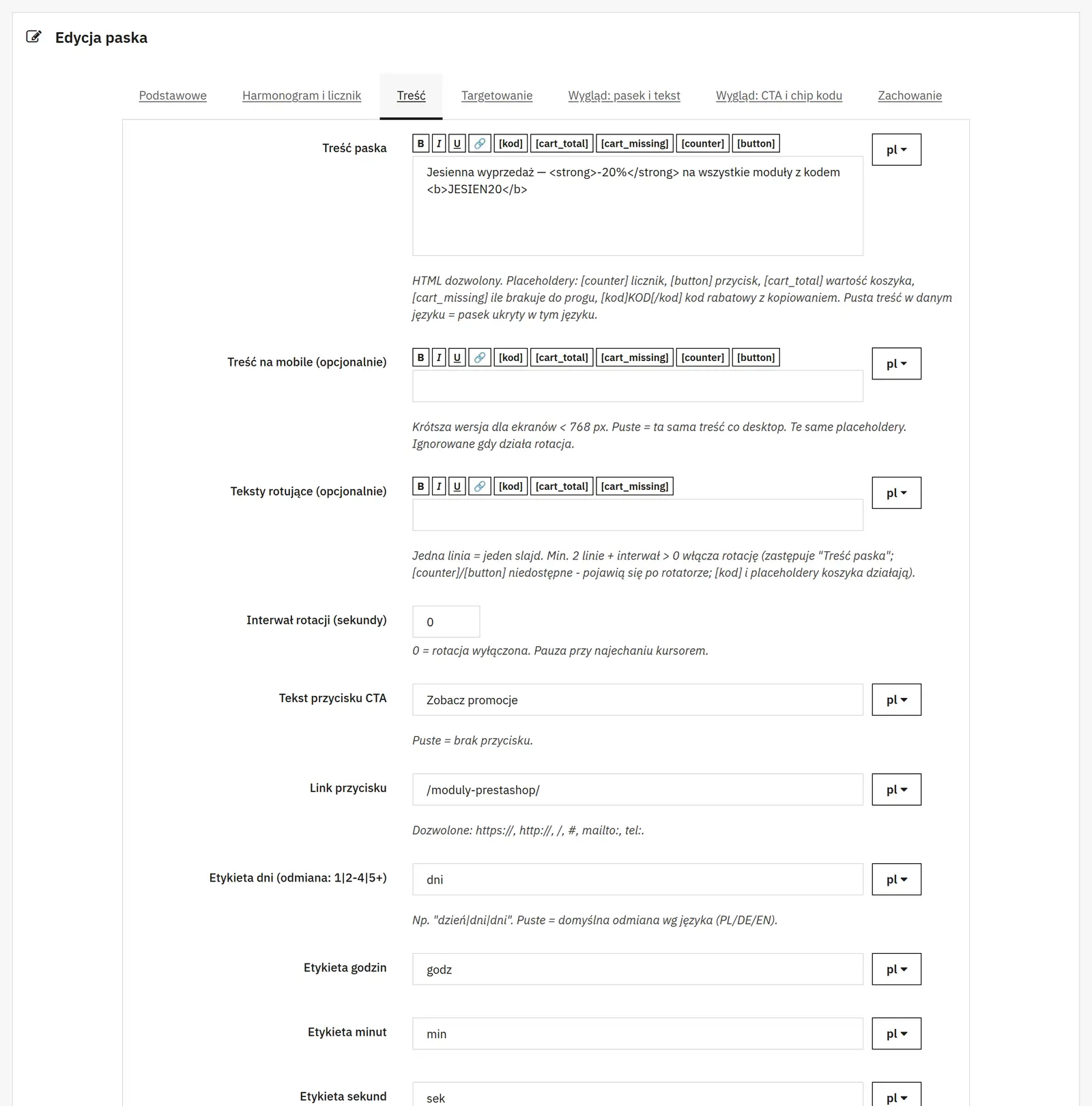
- Bar text
- The editor supports HTML and the [counter], [button], [cart_total] and [cart_missing] tags. The [kod]CODE[/kod] notation creates an element with a copyable code.
- Mobile and rotation
- You can provide separate mobile text. With rotation, consecutive messages are used; at least two entries and a positive interval are required. An interval of 0 disables rotation, and pausing on hover makes reading easier. Mobile text does not replace rotation entries.
- Call to action and copying
- The label and URL create the button; an empty label disables it. Separate texts define the copy prompt and the confirmation that the code was copied.
Countdown
- Timer mode and target
- You choose the countdown mode, target time, day of the week and weekend skipping. The timer's appearance and the behavior after time runs out define how a finished campaign is presented.
- Time labels
- Separate captions for hours, minutes and seconds match the timer to the message language. You provide day forms in variants for 1, 2–4 and other values.
04 / Visibility conditions
Visibility conditions
- Placements and audience
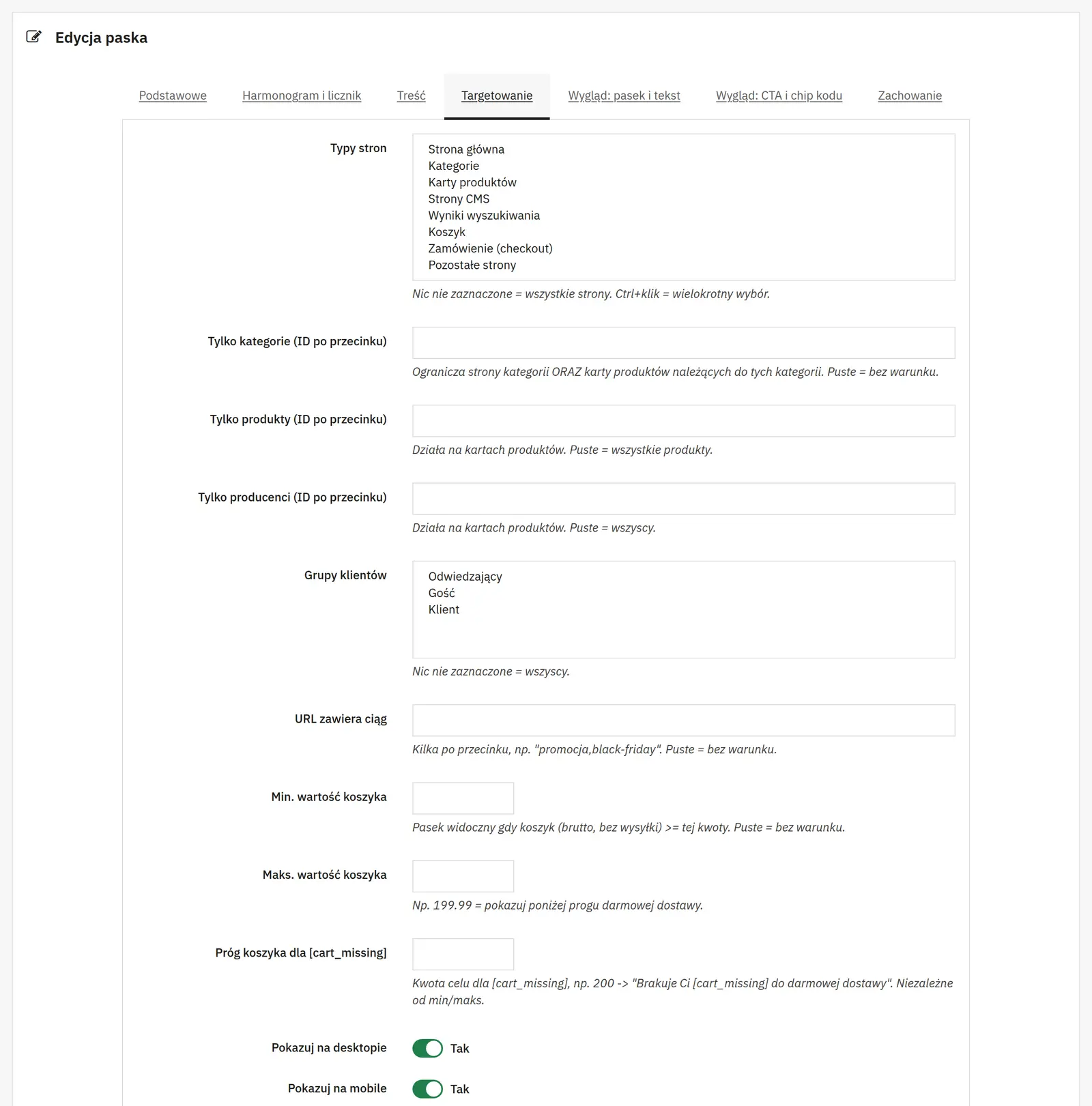
- You can limit the bar to page types, categories, products, manufacturers, CMS pages or URLs containing a given fragment. Customer groups, login state, and desktop or mobile narrow the audience.
- Cart value and contents
- The minimum and maximum apply to the gross value without shipping. Item count thresholds limit display by quantity; values of 0 impose no restriction. The [cart_missing] target is a separate threshold, independent of the visibility range.
- Test mode
- The ajitib_test=1 parameter starts a preview with a cookie valid for one hour. It is meant for testing and is not access control or protection for a confidential promotion.
Bar appearance
- Background and typography
- You choose the position, background, text color, image fit, and the overlay color and opacity. Font size, alignment, minimum height and spacing define readability. Pulsing and the scrollable mobile layout change how attention is drawn.
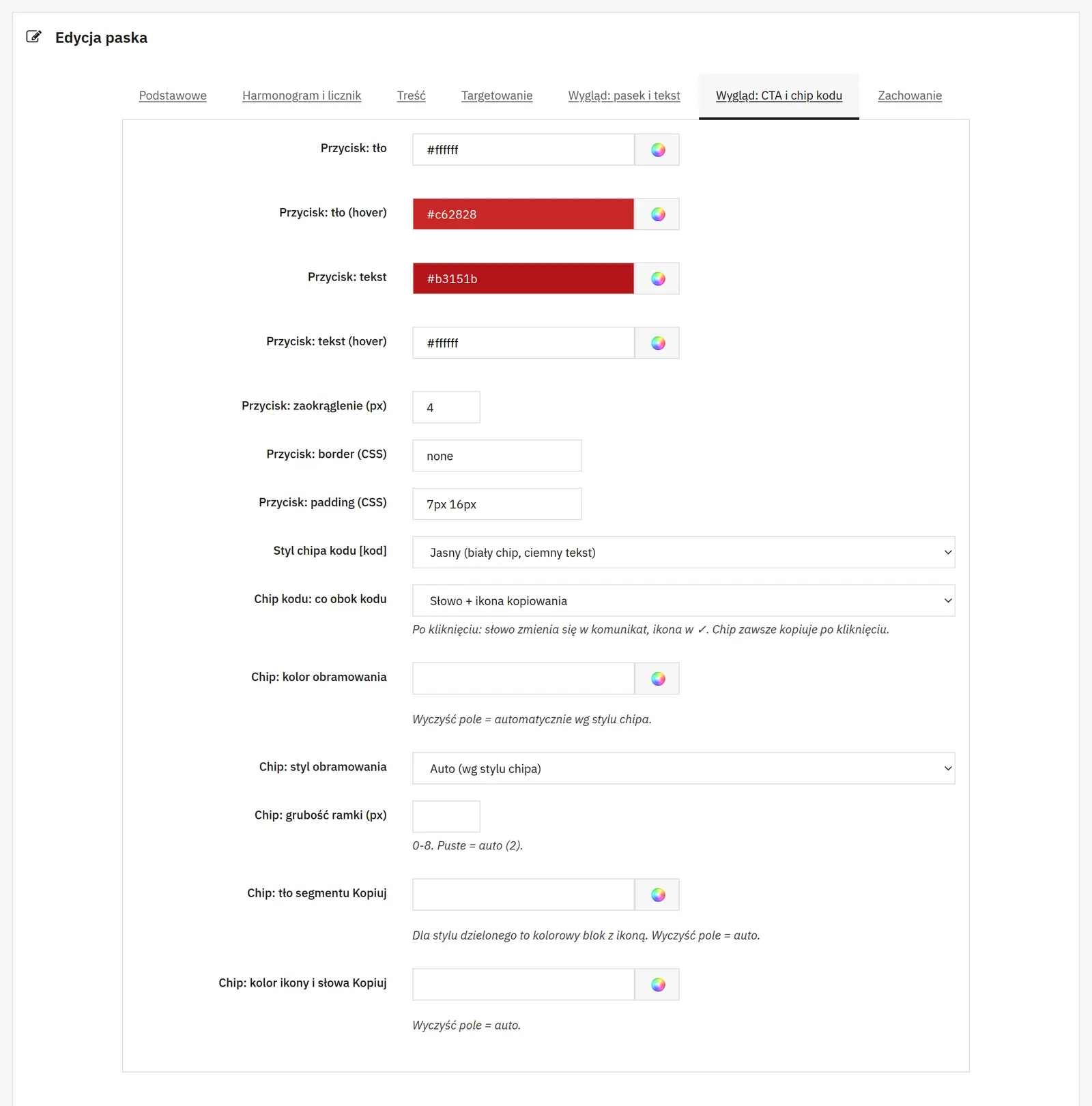
- Button and discount code
- The button has separate normal and hover colors, corner radius, border and spacing. For the code you choose the chip style, the copy icon or label, the border, the background of the copy area and the icon color.
- Custom styles
- Additional CSS lets you fine-tune a specific bar. Rules should be limited to its elements so they do not affect other parts of the store.
06 / Appearing and dismissal
Appearing and dismissal
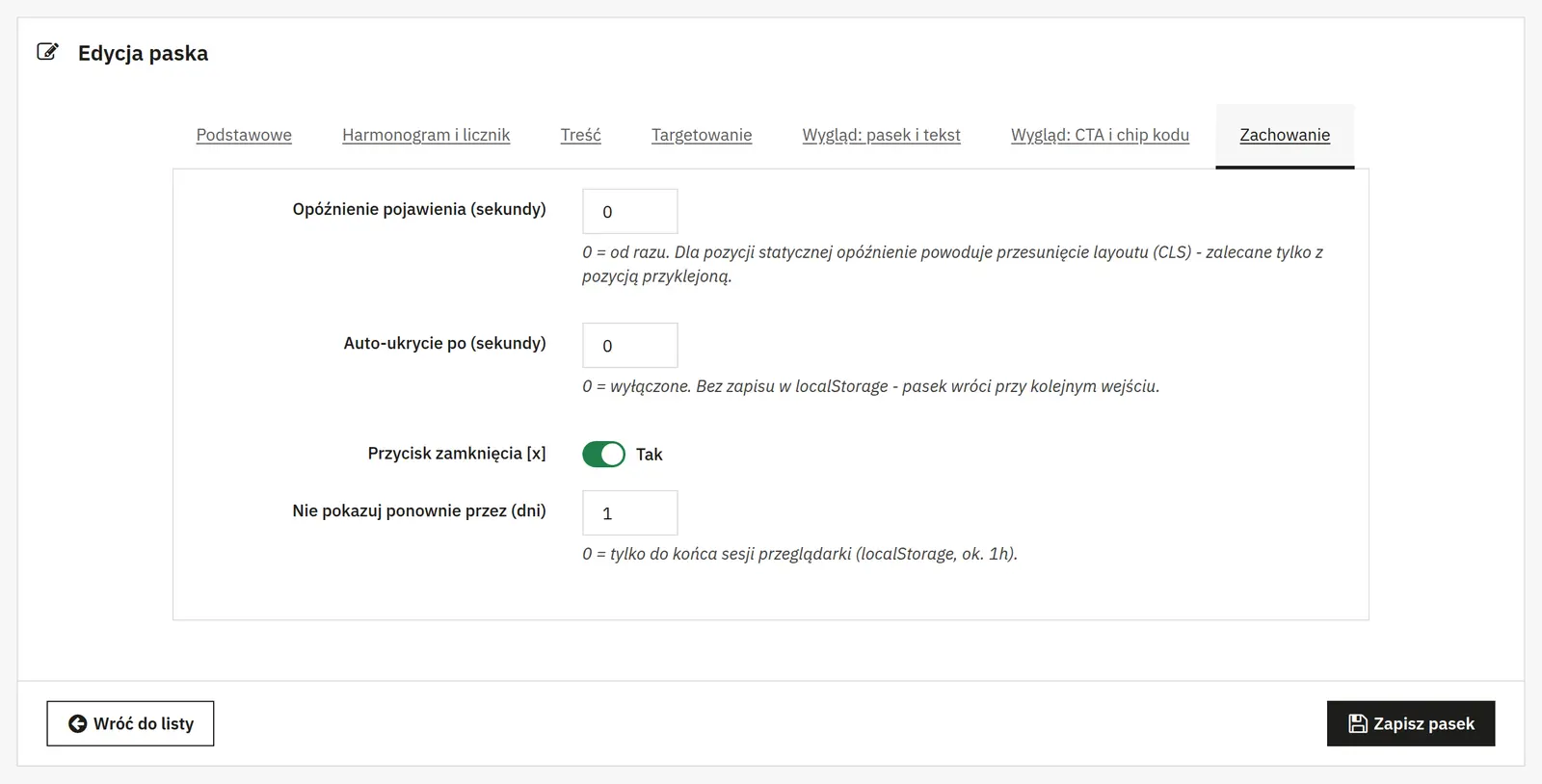
- Delay and display time
- A delay of 0 shows the bar immediately; a delayed bar in the regular layout may shift the page content. Auto-hide after 0 seconds is disabled and does not by itself remember the customer's decision.
- Dismissal by the customer
- You enable the close button and the period during which the bar stays hidden separately. A value of 0 means the dismissal is remembered briefly, not that the message is hidden permanently.