AI Product Description & Translation Generator for PrestaShop
Create product descriptions and translate your store catalogue with AI. A job queue and CRON let you process larger batches of products.
- Version 1.11.2
- Last update 2026-10-02
- PrestaShop compatibility 8.0 – 9.x
- Multistore Not tested
- Cron job Yes
- Languages
- Delivery time Sent automatically by e-mail
490,77 zł brutto
Instalacja ⓘZleć mi instalację modułu. Zainstaluję, sprawdzę i zweryfikuję poprawne działanie modułu.
Wsparcie techniczne
Domena ⓘPodaj adres url domeny, na której będzie instalowany nasz moduł.
| Product price | |
| Selected options | |
| Total |
AI description generator and product translations for PrestaShop
With several hundred or several thousand products, the biggest problem is not adding items to the store, but preparing and maintaining content in multiple language versions. Translating every product by hand quickly turns into days of work. AJIT AI Description Generator automates exactly this stage.
Available languages:

![]()
The module generates and translates product descriptions with AI, and handles larger batches through a task queue and CRON. The process can run in the background, with no need to keep watching the back office.
Key features of the module
- AI-powered product description generation
- translation of descriptions between store languages
- task queue for working on larger numbers of products
- automation via CRON
- optional product activation after translation
- auto-translation lock for a selected product
- list of newest products and information about previous translations
- handling of AI model changes and deprecations, plus language pair validation

Generating and translating product descriptions
The module handles both content creation and translation of existing descriptions. The translation mode works in-place, so it can be used to grow a multilingual catalog without manually copying content between language fields.
Bulk processing with the queue and CRON
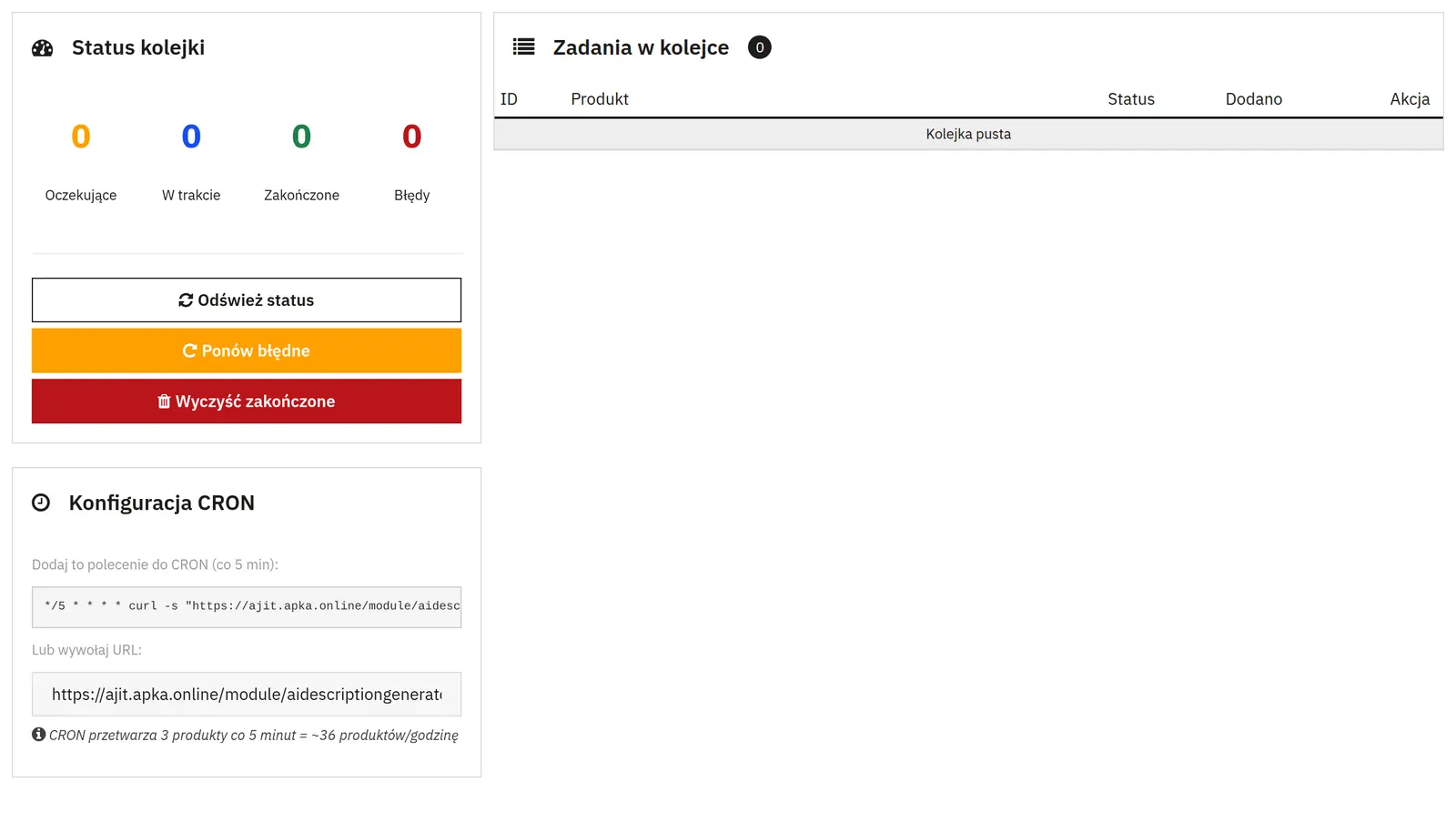
Larger jobs do not have to be done manually product by product. The queue processes operations in stages, and CRON can start them automatically. There is also an option to activate the product automatically once its translation is finished.
Control over automatic translation
On the product page you can disable automatic translation for a specific item. This lock stops jobs started by CRON, while leaving you the option to run the operation manually whenever it is needed.
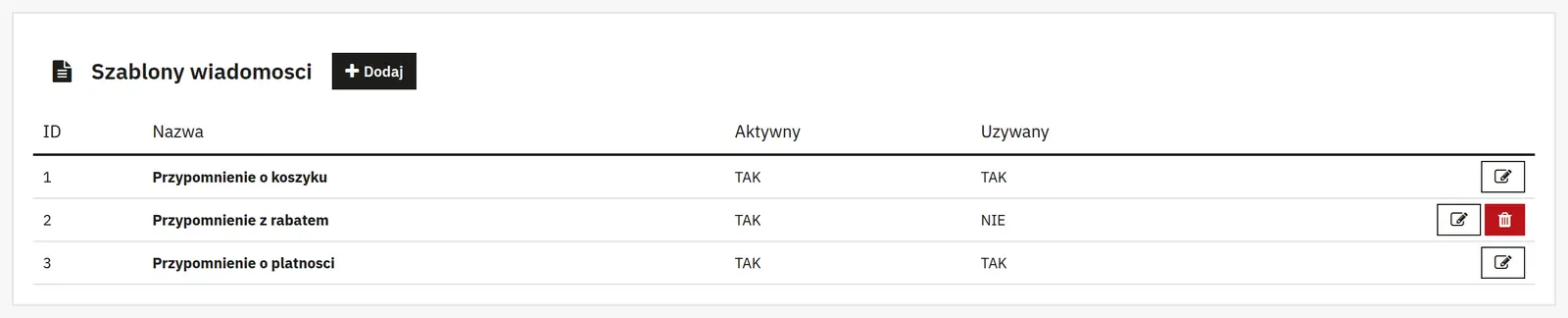
Easier work with new products
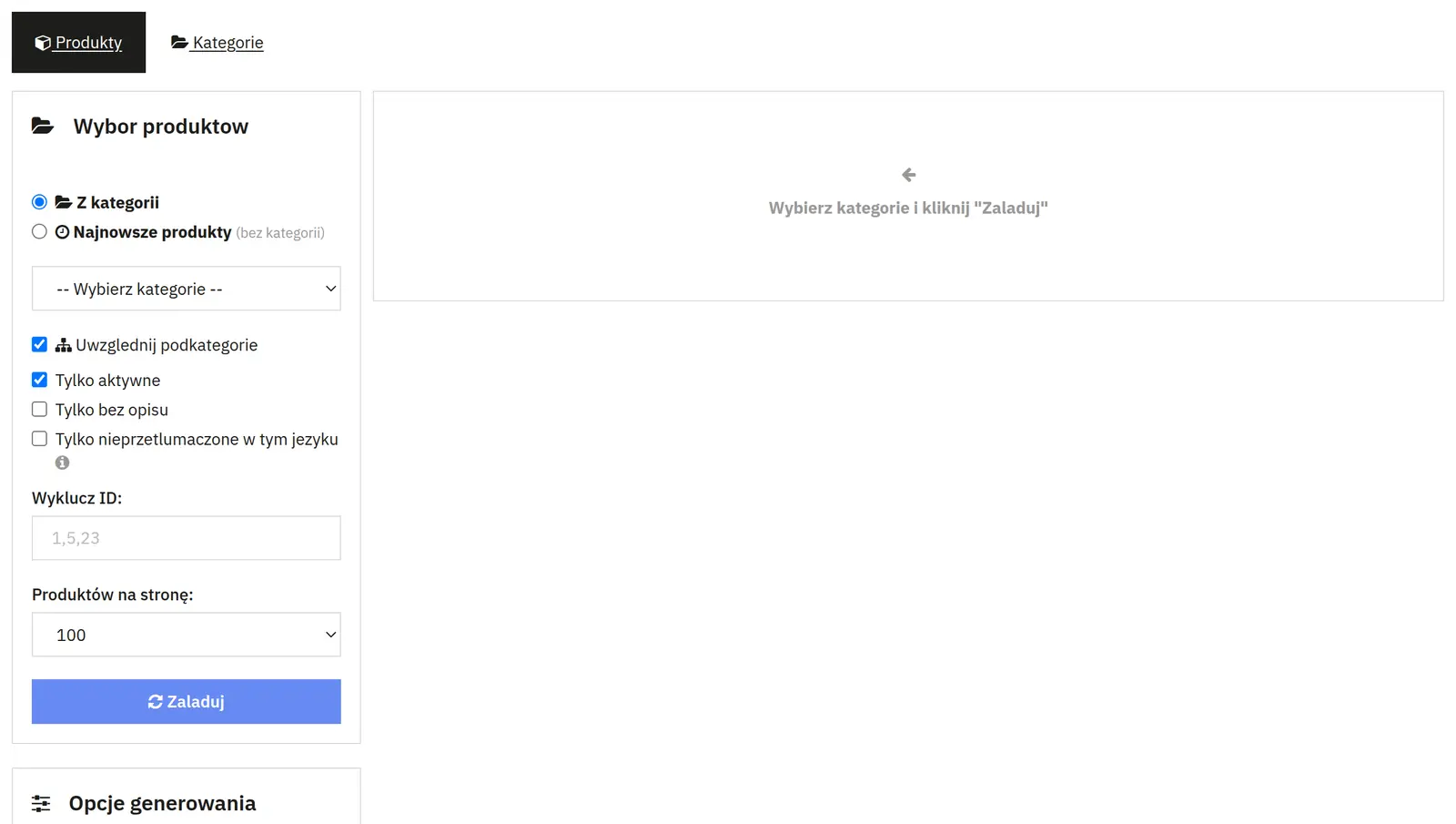
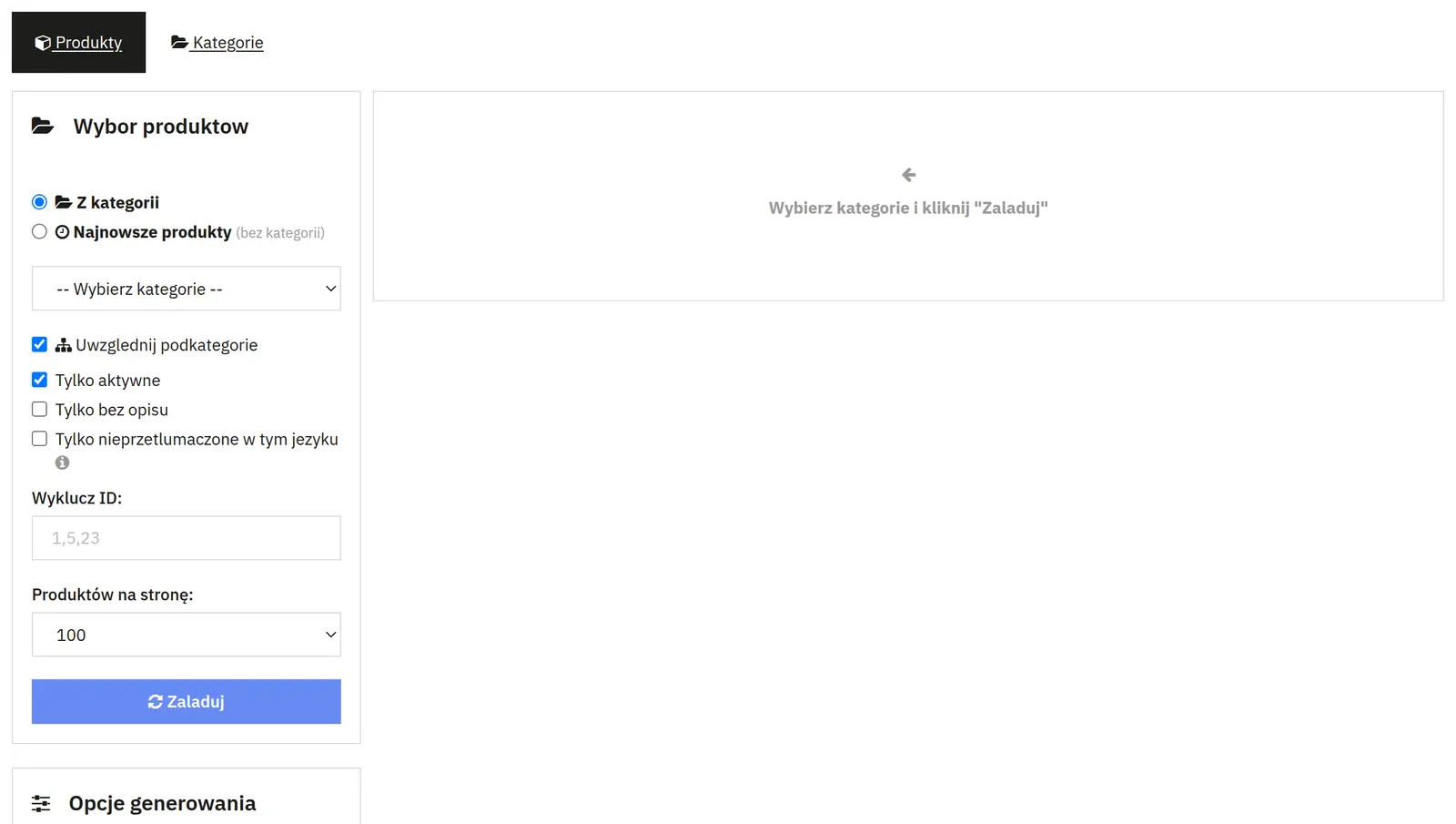
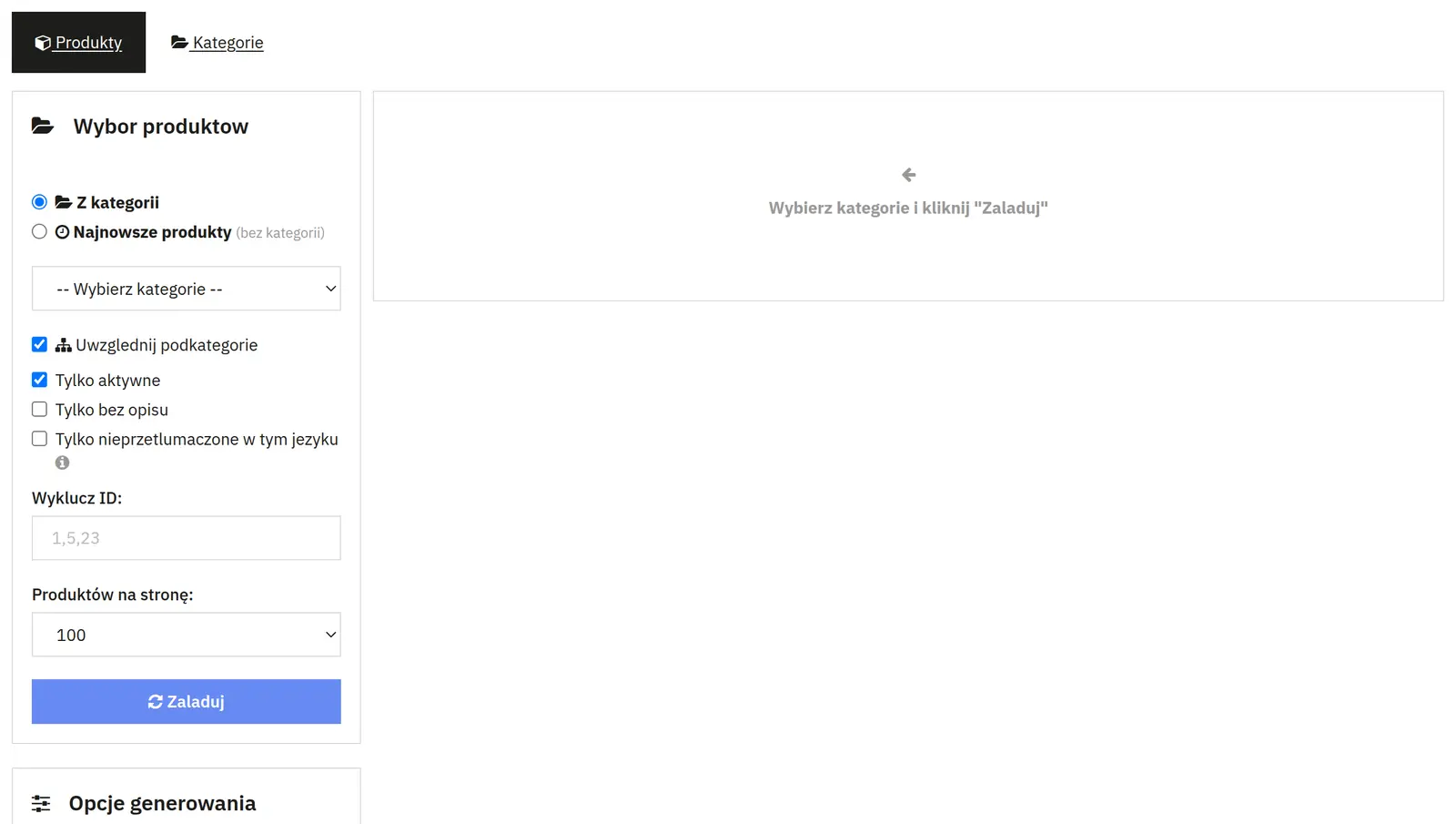
The module can load a set number of the newest products without selecting a category first. The table also shows which products have already been translated, making it easier to track progress.
Who is this module for?
The solution is especially useful for stores that regularly import new products, run several language versions, or maintain a catalog where content is filled in batch by batch.
FAQ
Can the module run automatically?
Yes. Jobs can be handled by the queue and CRON.
Can I disable automatic translation for just one product?
Yes. A flag on the product page blocks automatic CRON translation for that item, while keeping manual mode available.
Is the module suitable for a large catalog?
Yes. The task queue and CRON processing exist precisely so you do not have to do everything manually, product by product.
Requirements and configuration
Content generation requires configuring an AI provider. The provider's service costs are billed separately.
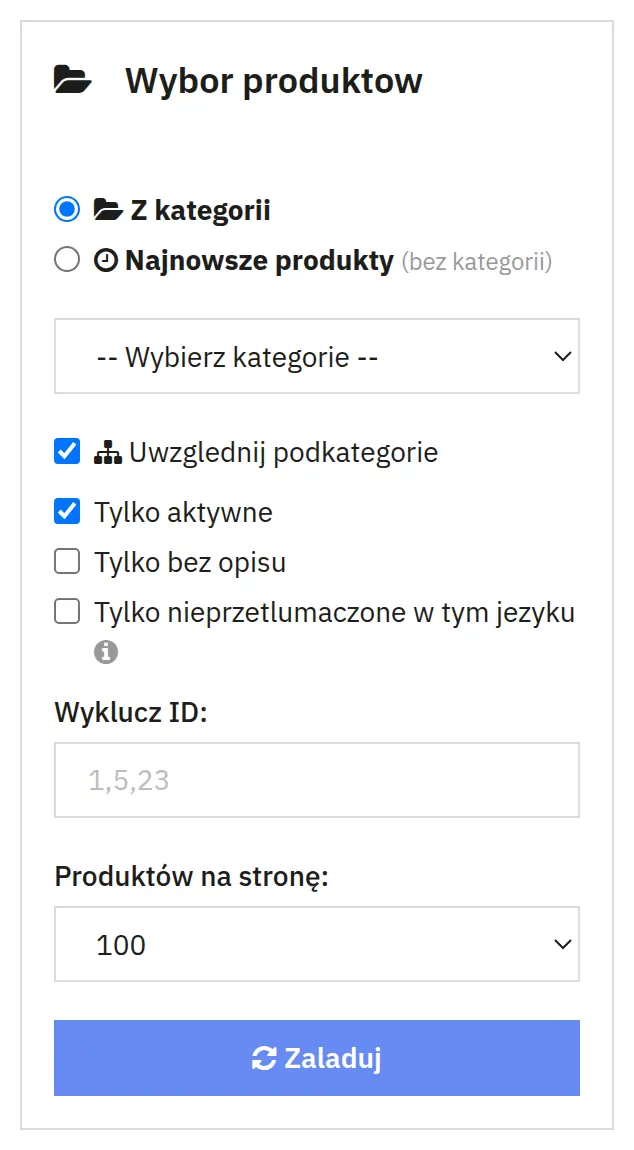
What can you set in the module panel?

01 / Product selection
Product selection
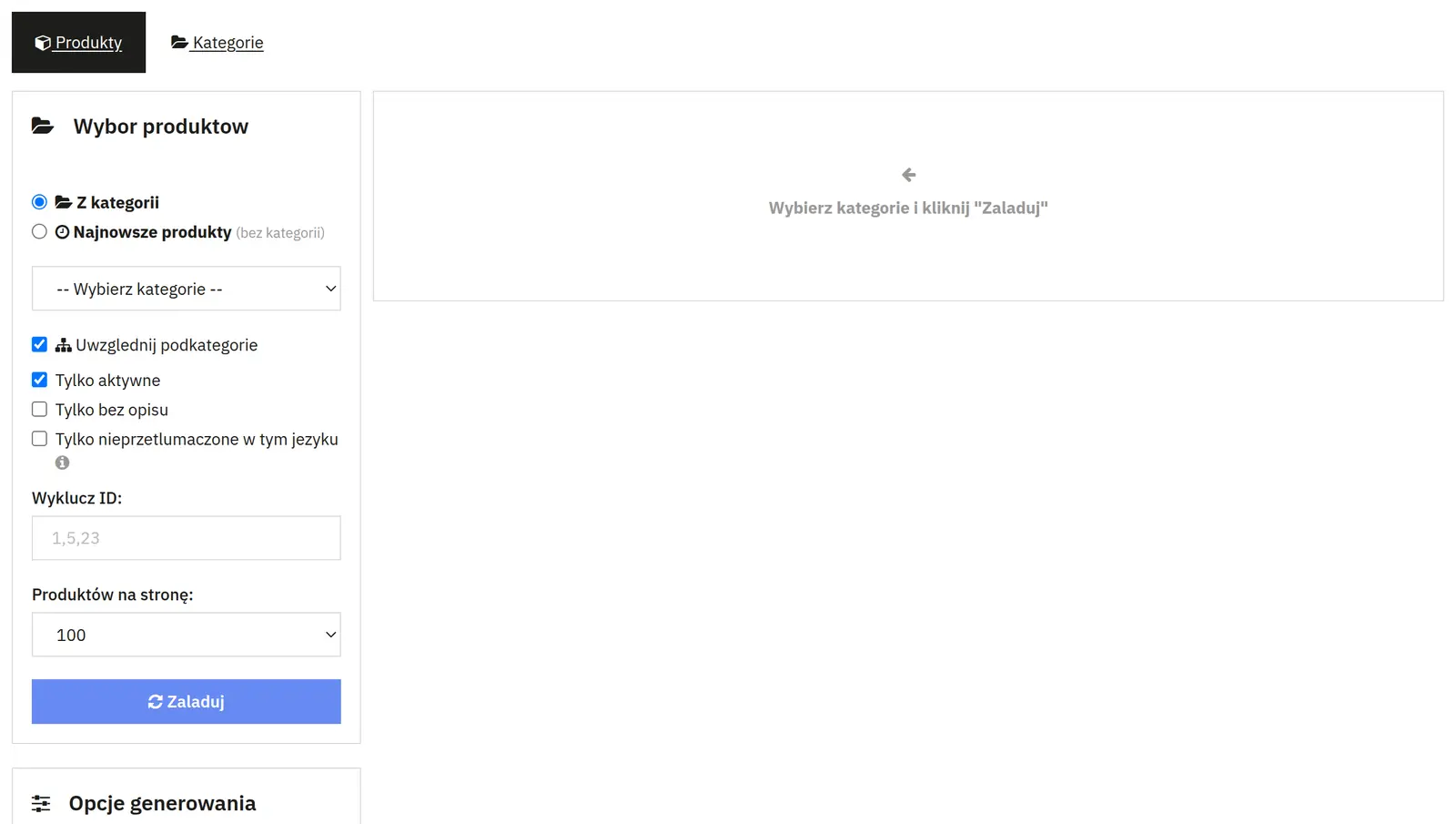
- Category, subcategories and newest products
- You pick a catalog branch or a pool of the newest items. You set the number of products, the order and the results page size.
- Filters and exclusions
- You can limit the selection to active, description-less or untranslated items. An ID list and a separate exclusions screen skip the indicated products and categories, optionally with subcategories.

02 / Generation and translation
Generation and translation
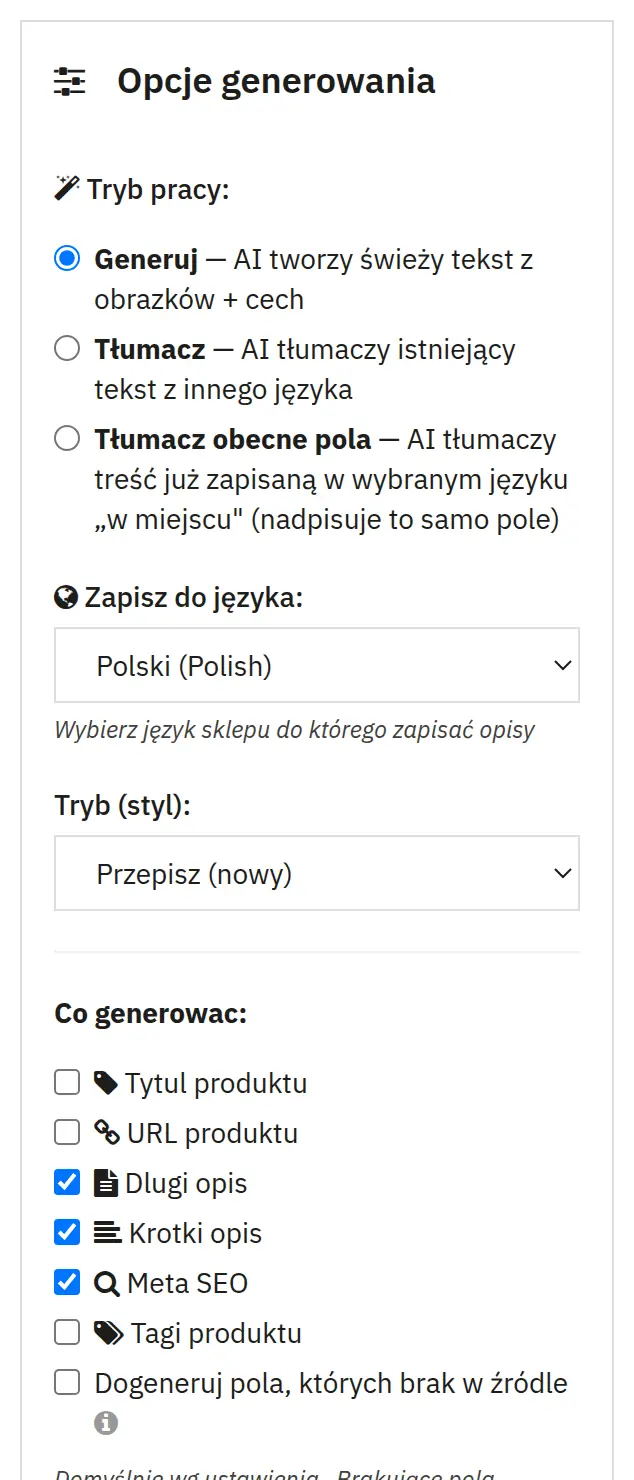
- Operating mode
- Generation creates new text. Translation carries text over from the indicated language, and the in-place mode translates content already saved in the target field.
- Source and target language
- They determine where the content is taken from and which language the result goes to. Choosing a target language does not automatically create a full store localization.
- Scope of product fields
- You separately select the name, URL, long and short description, SEO meta and tags. Tick only the fields that should be changed.
- Style, template and missing fields
- The style and prompt template steer the writing. Generating missing fields lets you fill in gaps instead of limiting the run to translation alone.
- Skipping long descriptions and activation
- A length threshold protects extensive descriptions from being processed. Activating the product on completion is a separate setting that affects its publication.

03 / Categories and dictionaries
Categories and dictionaries
- Category fields
- You select the name, main and additional description, metadata and URL. The category has its own template, languages and skip conditions.
- Features and attributes
- You separately translate feature names, their values, attribute groups and variant values. The feature value scope can cover all, predefined or custom values.

04 / AI provider
AI provider
- API, model and key
- You specify the service, the model and the access credentials. AI provider costs are independent of the module purchase.
- Images, image limit and default fields
- Vision attaches images as context for generation. The limit caps their number. The default short description and SEO switches set the initial scope of work.

05 / Automation and queue
Automation and queue
- Enabling, languages and fields
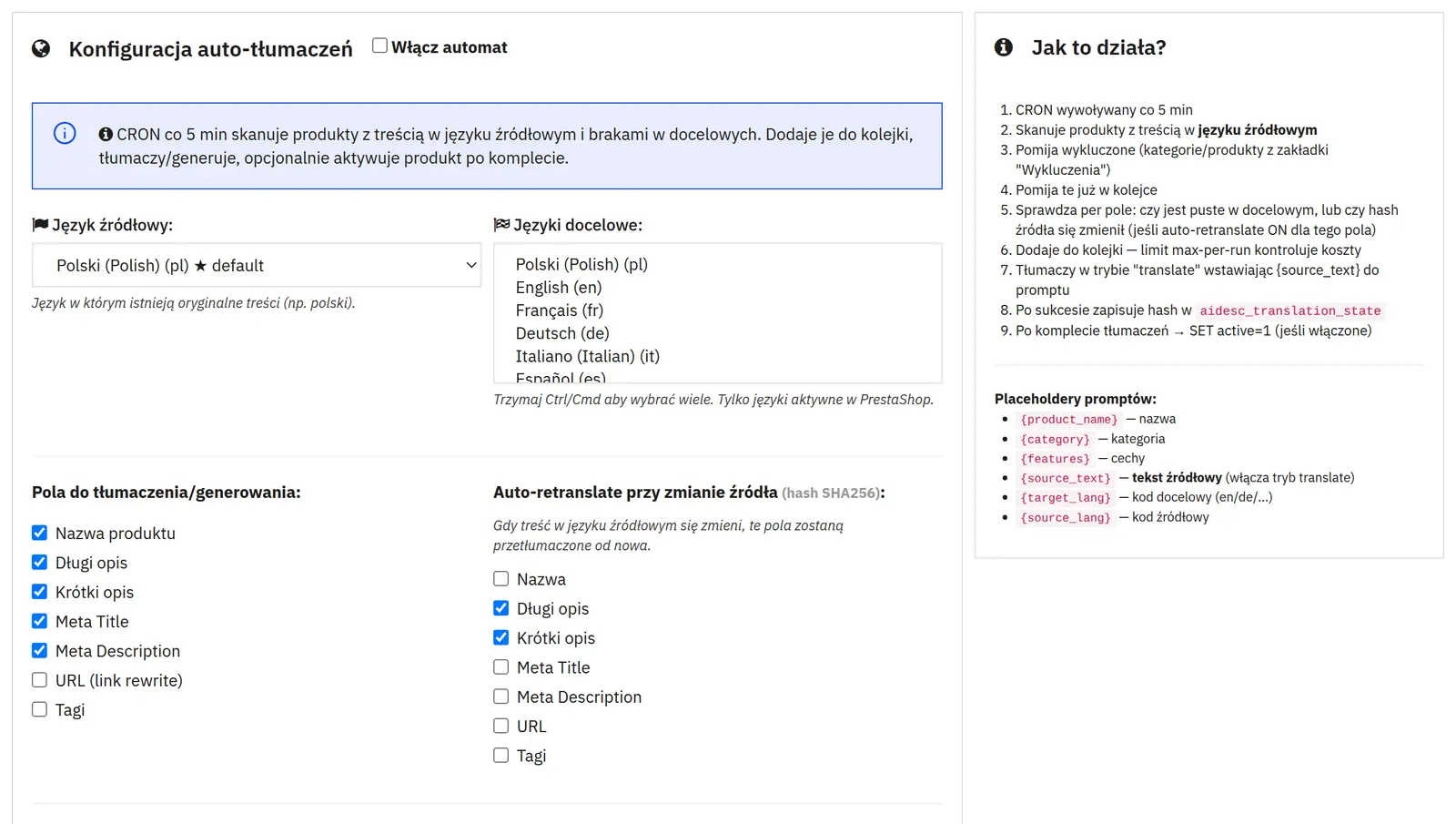
- The automation has its own source language, list of target languages, set of fields, operating mode and prompt.
- Re-translation on change
- For the indicated fields, a change in the source content hash can trigger reprocessing. Automatic translation can be disabled on the product itself.
- Activation condition
- You can leave the product inactive or publish it once the set is complete in one or all target languages.
- Limits, source minimum and retention
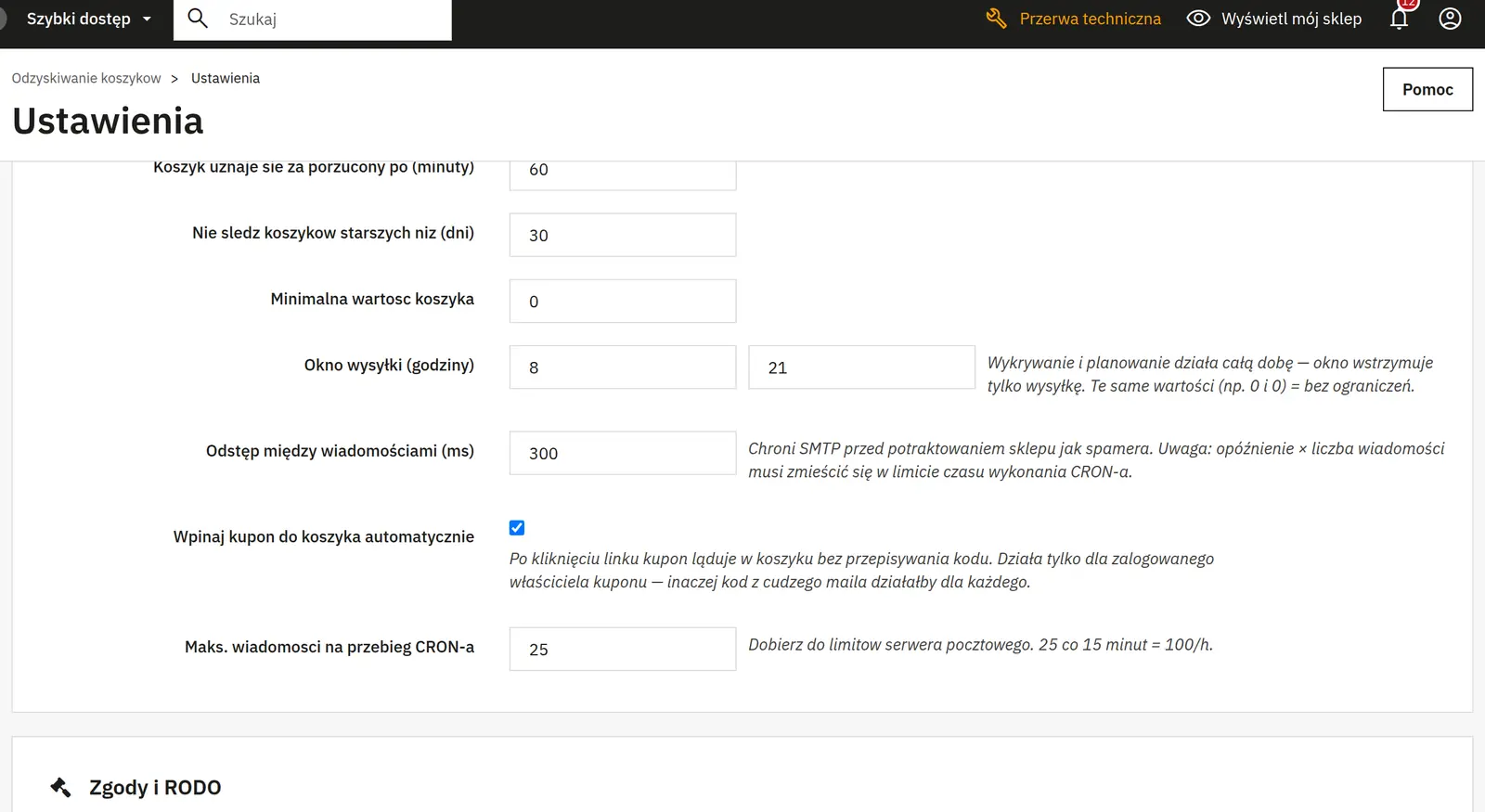
- The number of jobs and products per run limits the load. A minimum source length prevents working on data that is too sparse. Retention defines how long logs are kept.
- Missing source data
- You choose to generate missing fields always, only in in-place mode, or to skip them. A skipped empty field does not have to block automatic activation.

06 / Content control
Content control
- Preview and saving
- The result can be reviewed before use. Saving the generation fields is available separately; multi-language save options require caution so as not to overwrite finished versions.
Data sheet
- Version
- 1.11.2
- Last update
- 2026-10-02
- PrestaShop compatibility
- 8.0 – 9.x
- PHP version
- 7.4 – 8.3
- Languages
- DE, EN, ES, FR, IT, PL
- Multistore
- Not tested
- Cron job
- Yes
- Core overrides
- No
- Theme compatibility
- Any theme
- External service required
- OpenAI API key
- Source code
- Open, no ionCube
- Licence
- 1 shop (domain), no time limit
- Updates
- Free for 12 months
- Technical support
- Free for 6 months
- Delivery time
- Sent automatically by e-mail
- VAT invoice
- Yes
- Returns
- As stated in the terms
- Package size
- 151 kB
- Demo link
- Link
- Documentation
- Link
No customer reviews for the moment.